
fabiosun
-
Posts
12,060 -
Joined
-
Days Won
603
Content Type
Profiles
Forums
Events
Downloads
Everything posted by fabiosun
-
ciao @Piaesse non conosco la tua piattaforma ma se vuoi provare la EFI in allegato, vediamo se fa un passetto in piu' Sostituisci e metti questa Prima fai il backup della tua vecchia EFI EFI aggiornata .zip
-

ASRock TRX40 Creator - AMD Threadripper 3970x [Post install]
fabiosun replied to shutterbug168's topic in General
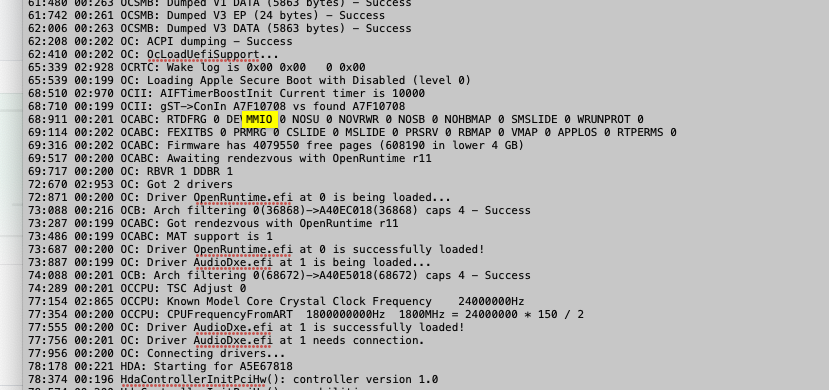
@shutterbug168 please try to force sleep from menu then post always latest opencore debug log file to see in it if MMIO are skipped in a good way as we set in config if you can reset also your nvram from opencor menu press spacebar if you do not see nvram reset icon which gpu do you have? -
Anche con Ryzen i softwares citati funzionano perfettamente La ultima release 17b3 di Davinci non ha nemmeno piu' bisogno di un patch di una liberia per andare su AMD La cpu controparte dell'intel che hai scelto potrebbe essere o un 3700x o un 3800xt Per il 3D, cinema4D funziona perfettamente In generale si riesce a far andare tutto se il produttore non ottimizza prettamente per intel Chiaramente ci si perde un po' di tempo in piu' rispetto ad un hack intel ma puo' valere la pena 🙂
-
ASRock TRX40 Creator - AMD Threadripper 3970x [Post install]
fabiosun replied to shutterbug168's topic in General
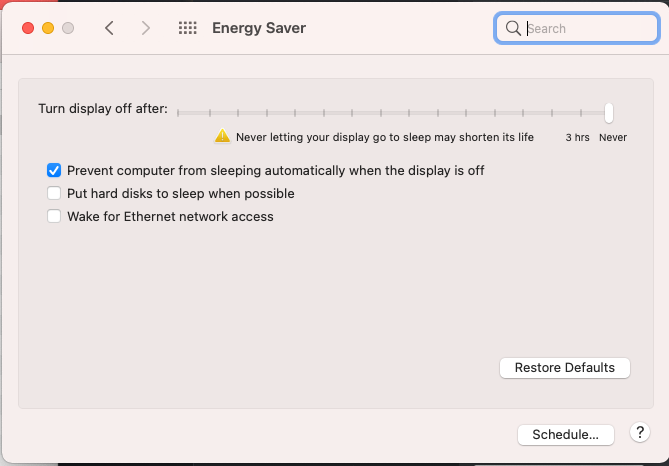
Backup your EFI and use this if you want try post also this Energy saver screen grab too see yours (Sleep related) Thank you EFI.zip
-
ASRock TRX40 Creator - AMD Threadripper 3970x [Post install]
fabiosun replied to shutterbug168's topic in General
@shutterbug168if you want open a thread in general area with the name of your motherboard and CPU used, so we can focus there about your problem And we will win also in this 🙂 -
ASRock TRX40 Creator - AMD Threadripper 3970x [Post install]
fabiosun replied to shutterbug168's topic in General
@shutterbug168 mmmhhh here it seems fine to me It is your debug log? Post also exact EFI you are using without your serial because this log is good and you shouldn't have shutdown problem -
you have to use a debug version of OpenCore and you have to set debug target on 67 (default is 3) then you will find in your EFI partition a txt opencore debug file.. there you will see your mmio and..there you will understand why your system does not shutdown properly @shutterbug168 also, take a look here it is a well written summary of all stuff we discovered about MMIO... with the proper one for your new bios and motherboard you will solve latest problems you have now 😉
- 3,995 replies
-
- 1
-

-
- amd vanilla patches
- amd kernel patches
- (and 3 more)
-
Ciao si puo' fare inizia con il creare una penna USB con il sistema che vuoi installare Meglio da Catalina in su Nel forum trovi tutte il necessario per partire con il primo step (creazione penna USB) Modifico il titolo del tuo thread in modo tale che chi può' ti aiuta
-
Ciao e benvenuto si con un po' di impegno 🙂
-
@shutterbug168 for shutdown problem: have you defined properly your mmio whitelist in your config.plist? could you post your debug log file thank you
- 3,995 replies
-
- 1
-
-
- amd vanilla patches
- amd kernel patches
- (and 3 more)
-
quindi hai risolto? Che significa sono riuscito a ricavare le regioni MMIO e successiva parte? (fino a problemi intendo) questo sotto e' un estratto del log che hai postato.. da qui non stai usando il DevirtualizeMMIO e non si vedono le aree del tuo bios.. O mi sono perso qualcosa? Se ti va fammi sapere che l'argomento e' interessante Magari si apre un thread
-
Ciao e buongiorno a te In particolare come mai ti e' venuta questa esigenza di andare a ricercare i tuoi MMIO se posso chiederti? La prima domanda da farsi e' : Serve per la mia configurazione entrare in un ginepraio che in pochi conoscono e soprattutto spiegano chiaramente? Che pochissimi sanno usare vedendo alcuni esempi in rete, per non dire di piu' 🙂 Cmq se mi dai una risposta provo a spiegare io quello che so degli MMIO e del DevirtualizeMMIO quirk correlato (insieme a diverse opzioni del bios che possono influire sul discorso) In area internazionale trovi nel mio thread Link utili come calcolarli e tirarli fuori nelle varie condizioni Senza nessuna pretesa di avere la verità assoluta, ma avendoci combattuto e ragionato da dicembre 2019, per far funzionare il mio rig 🙂
-
la baracca ancora regge 🙂
-
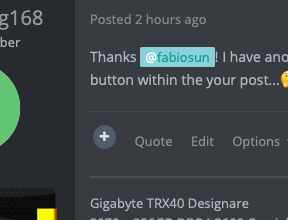
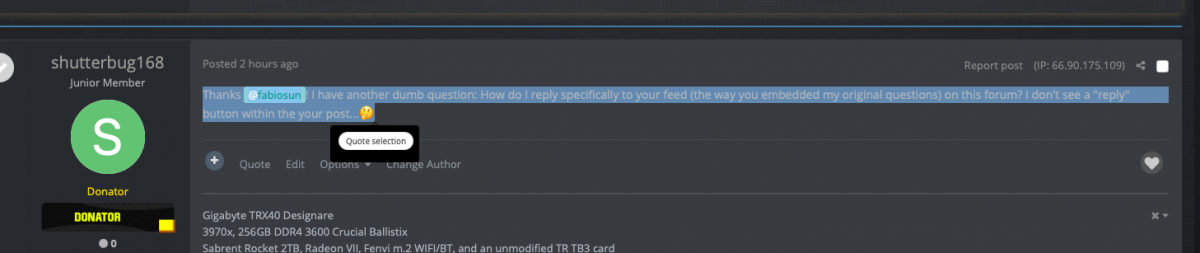
no, you have two method 1) select text and then wait a flash for graphics quote popup button or 2) push directly quote button you can find after plus sign (Quote -- Edit ---Options)
- 3,995 replies
-
- 1
-
-
- amd vanilla patches
- amd kernel patches
- (and 3 more)
-
quote 🙂 Big Navi ready? 🙂 🙂NO 😞 @shutterbug168 you can also select a portion of my message and click on quote like you can see in this picture :
- 3,995 replies
-
- 1
-
-
- amd vanilla patches
- amd kernel patches
- (and 3 more)
-
-
@kayaman80se vai sull'usato ci puoi trovare buone occasioni per le RX 570 4gb.. poi da valutare l'eventuale rischio
-
dipende anche dal budget, al momento con la macchina in firma forse andare troppo in su con una scheda grafica non conviene Le RX 6800 ancora costano quanto un rene e non sono ancora supportate da OSX forse in futuro Io al massimo consiglierei una Vega 56/64 per il processore che hai in firma
-
thank you @Arrakisfor this thread and your tests Maybe some other users with a Gigabyte board could test.. in our testing I see also you have to use dummypowermangement quirk and rebuildapplememory quirk if I remember well.. I am curious also about this 🙂
-
ASRock TRX40 Creator - AMD Threadripper 3970x [Post install]
fabiosun replied to shutterbug168's topic in General
mmmhhhhh 😛 😛 MMIO list is different for your board Also if user have the same your board you have to check in your debug log... ah sorry..you have an old signature I think..but that said above is still valid For thunderbolt you need a proper SSDT.aml file to add in ACPI folder and in your config.plist more skilled people to adopt one for you is @iGPU -
@GioMac se capisco bene hai installato con Opencore e poi hai sostituito con una cartella Clover il boot loader ? puoi postare entrambe le cartelle zippate senza temi e cartelle APPLE (cose che non servono intendo) Quando puoi metti anche nella firma il tuo hardware cosi' chi può' aiuterà piu' facilmente Grazie
-
yes for thunderbolt device, no if I connect USB device have you defined properly your MMIO whitelist with your new board?
- 3,995 replies
-
- 1
-
-
- amd vanilla patches
- amd kernel patches
- (and 3 more)
-
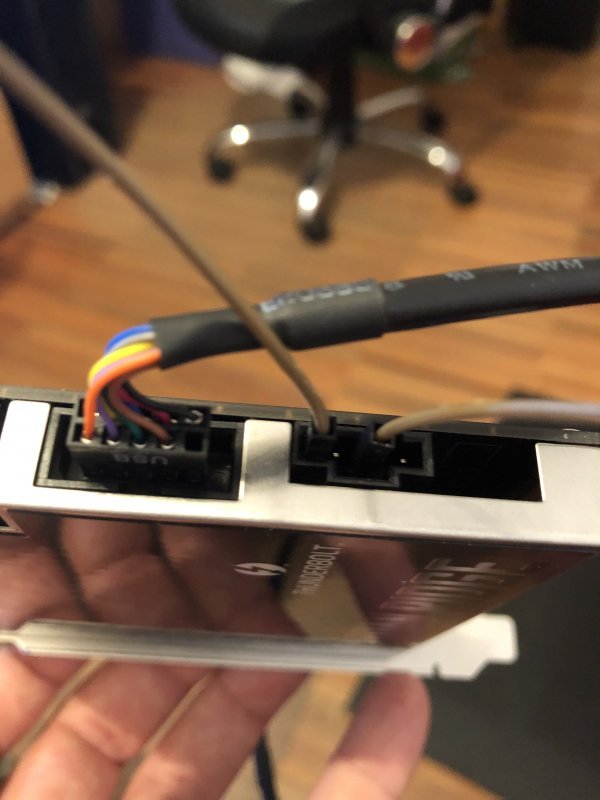
@Ploddlescheck the photo on first link above..it is my hand with that jumping job done 🙂 my motherboard has no tb header this I mean 🙂
- 3,995 replies
-
- 3
-
-

-

-
- amd vanilla patches
- amd kernel patches
- (and 3 more)
-
sorry I do not understand well this: mind though that 4 addresses in your IOMMU will change based on 4G ON / OFF. About sleep.are you .in Catalina? Big Sur solved for many of us this problem Maybe you can test Darkwake boot arg in Catalina...like darkwake=8..I have not tested it
- 3,995 replies
-
- 1
-
-
- amd vanilla patches
- amd kernel patches
- (and 3 more)
-
@Ploddles useful links in OP:
- 3,995 replies
-
- 1
-
-
- amd vanilla patches
- amd kernel patches
- (and 3 more)