
fabiosun
-
Posts
12,088 -
Joined
-
Days Won
604
Content Type
Profiles
Forums
Events
Downloads
Everything posted by fabiosun
-
 puo' anche banalmente clonare il disco catalina con Carbon Copy Cloner trial e poi da Disk Utility fare gli adattamenti alla partizione che desidera (sempre se ho capito al meglio la richiesta) 🙂
 -
Strane stringhe d'errore dopo l'aggiornamento di Clover da r5032 a r5038
fabiosun replied to Giorgio1996's topic in Clover
lasciando attivo rebuildAppleMemory? nel caso disabilita solo questi: EnableWriteUnprotector, SetupVirtualMap se non va lascia tutto come sta che non si puo' fare di meglio Quando la macchina parte funziona perfettamente? -
Strane stringhe d'errore dopo l'aggiornamento di Clover da r5032 a r5038
fabiosun replied to Giorgio1996's topic in Clover
no @Giorgio1996forse non mi sono spiegato bene disabilita questi: AvoidRuntimeDefrag, EnableWriteUnprotector, SetupVirtualMap lascia attivo: RebuildAppleMemoryMap e se parte posta un debug -
Strane stringhe d'errore dopo l'aggiornamento di Clover da r5032 a r5038
fabiosun replied to Giorgio1996's topic in Clover
puoi provare a fare una semplice prova da boot menu premi O e poi quirks e disabiliti AvoidRuntimeDefrag, EnableWriteUnprotector, SetupVirtualMap e vedi se ti parte nel caso riposta il debug -
Strane stringhe d'errore dopo l'aggiornamento di Clover da r5032 a r5038
fabiosun replied to Giorgio1996's topic in Clover
@Giorgio1996quirks 🙂 no quikers 🙂 nel tuo config imposta nella sezione boot la voce DEBUG su Yes e poi posta il file che trovi nella cartella EFI/CLOVER/MISC da li si possono vedere alcune cose in piu' (per chi le capisce) 🙂 -
have you tried a different display port?
-
Strane stringhe d'errore dopo l'aggiornamento di Clover da r5032 a r5038
fabiosun replied to Giorgio1996's topic in Clover
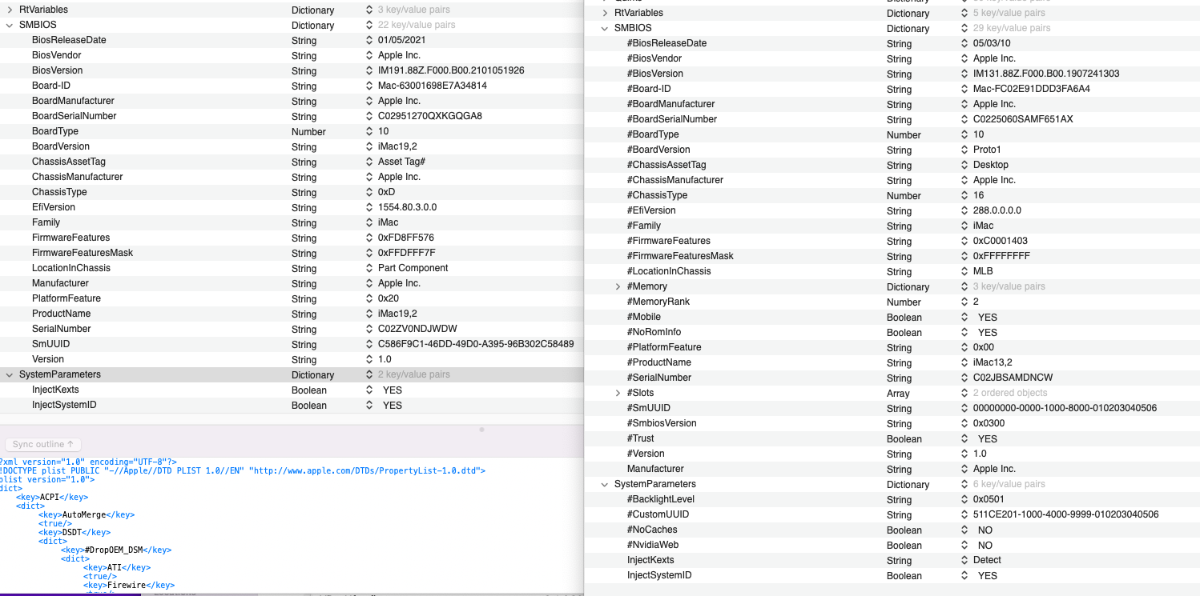
guardando mi sembra che ti manchi solo il customUUID ma di piu' non so in quanto non so se sia utile o meno per i servizi apple.. hai provato se ti funzionano tutte le USB ? Per avere conferme sul tuo IOREG aspetta chi ne sa di piu' 🙂
-
Strane stringhe d'errore dopo l'aggiornamento di Clover da r5032 a r5038
fabiosun replied to Giorgio1996's topic in Clover
io ti consiglio di prendere il sample.plist originale e riempirlo con i parametri che ti fanno partire la tua macchina senza cancellare quelli che hanno no o false come parametro poi piano piano lo affini non so se non li hai postati per tua sicurezza ma ti mancano dei valori importanti per il SMBios..importanti se usi i servizi apple per il resto ci sei pero' 🙂 -
Strane stringhe d'errore dopo l'aggiornamento di Clover da r5032 a r5038
fabiosun replied to Giorgio1996's topic in Clover
e' il tuo con tre modifiche niente altro -
Strane stringhe d'errore dopo l'aggiornamento di Clover da r5032 a r5038
fabiosun replied to Giorgio1996's topic in Clover
aspetta @Giorgio1996 dal tuo devi solo mettere boolean poi ti mancano dei parametri se usi i servizi apple dammi un attimo che ti posto un config che elimina gli errori (piccoli) della tua schermata iniziale config.plist.zip ecco qui -
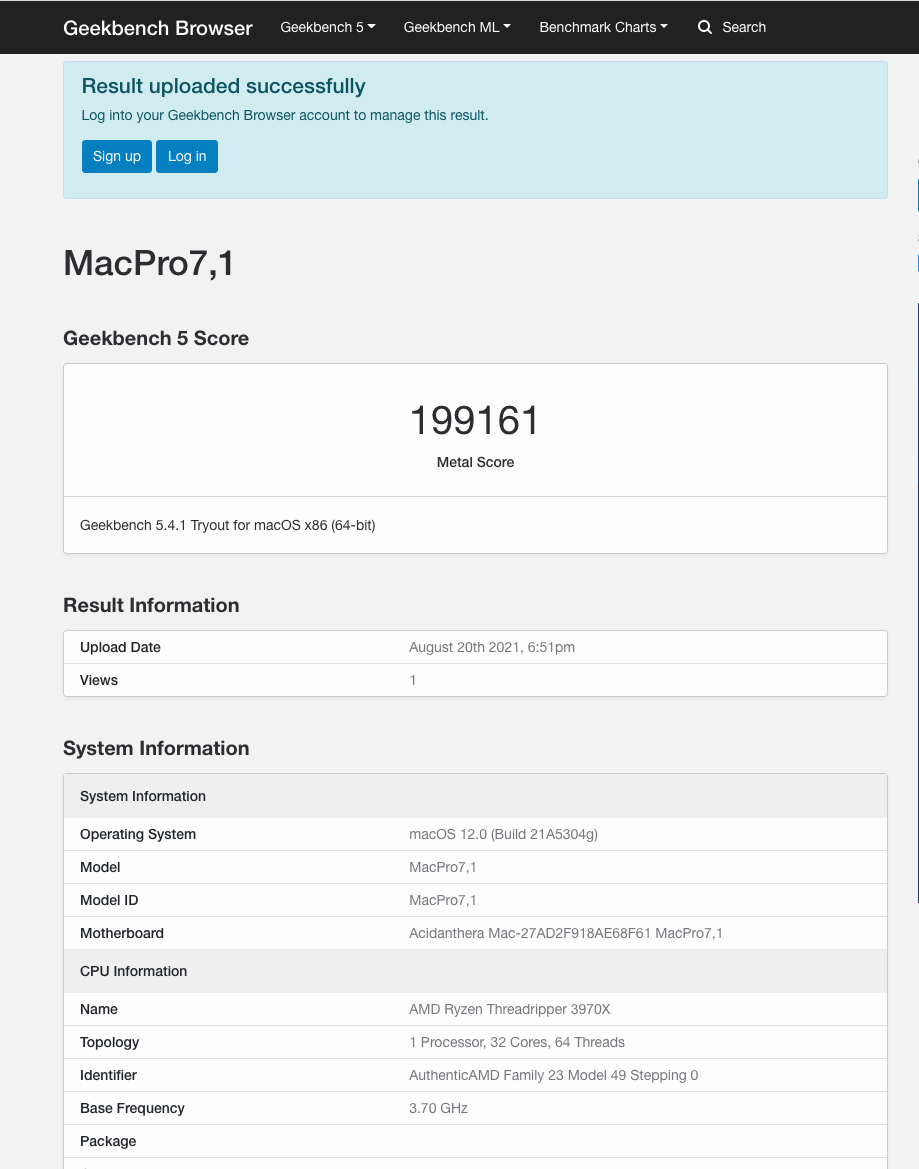
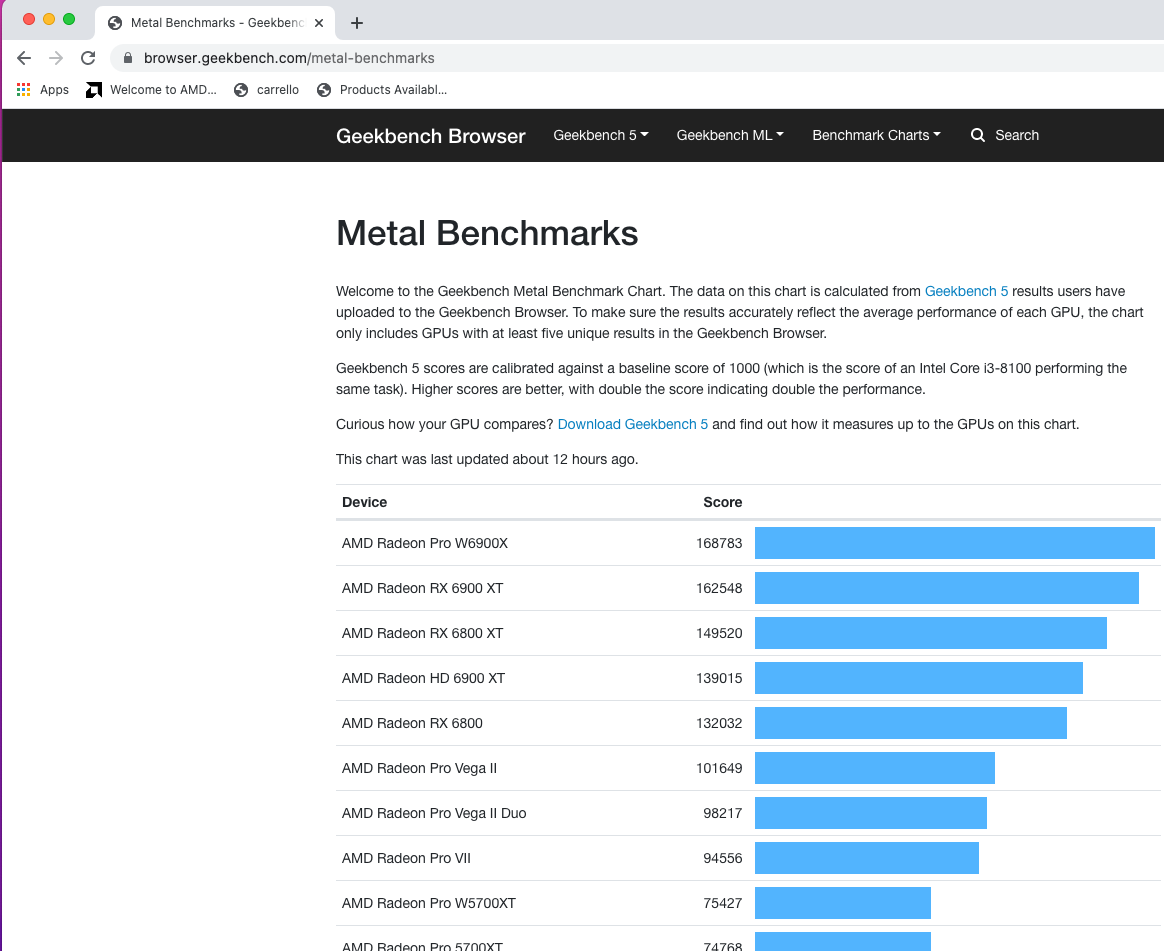
Bene 😛 molto bene 🙂 EDIT: qui trovi qualche benchmark
-
Strane stringhe d'errore dopo l'aggiornamento di Clover da r5032 a r5038
fabiosun replied to Giorgio1996's topic in Clover
e qui e' l'altro errore cmq scusami non e' un disastro il tuo config 😉
-
Strane stringhe d'errore dopo l'aggiornamento di Clover da r5032 a r5038
fabiosun replied to Giorgio1996's topic in Clover
@Giorgio1996 config-sample.plist.zip questo e' il sample che danno con clover 5138 se noti e' leggermente diverso controlla la parte quirks ed usa un plist editor non clover configurator concentra la tua attenzione in particolare sul quirk che tu hai e che in realtà nel sample non esiste: ProvideConsoleGopEnable (che e' di Opencore e non ancora implementato in Clover) e se vedi nella lista degli errori lo trovi stesso dicasi per le altre linee no schema sono di solito difformità del config a livello di "grammatica" controllare il valore injectkext (string/boolean) ma se ti parte e funziona c'e' poco da fare per sistemare esempio metti un # davanti il nome di quel quirk ed i primi due errori andranno via -
@Giulio Di Natale piu' che unico problema e' leggermente multiplo problema Che hardware ha il tuo amico?
-
Strane stringhe d'errore dopo l'aggiornamento di Clover da r5032 a r5038
fabiosun replied to Giorgio1996's topic in Clover
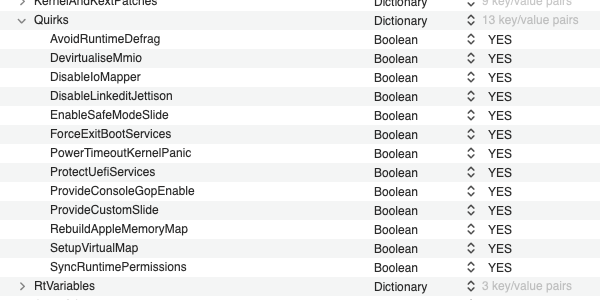
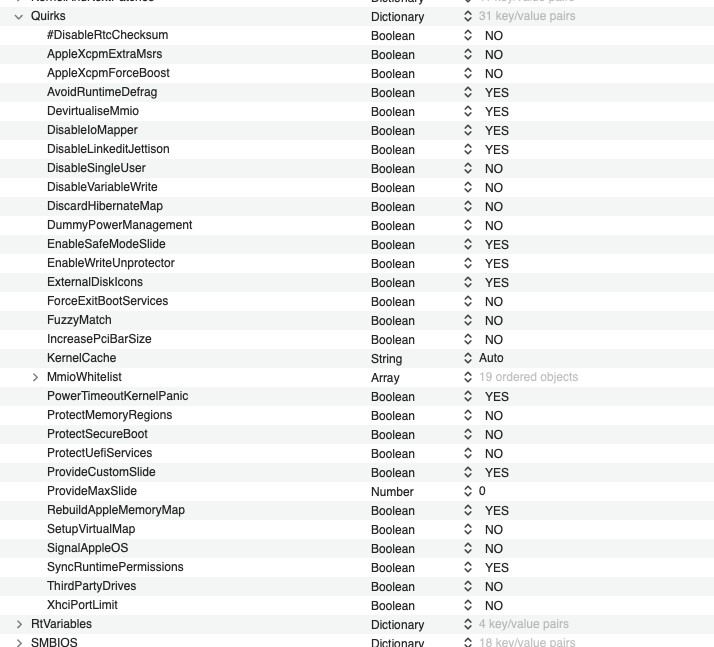
Ciao @Giorgio1996 mi sembra quasi impossibile che ti parta..ma alla fortuna non bisogna dare contro vedendo il tuo config hai diverse cose che non vanno Cerca nel forum clover quirks e sistemali per la tua piattaforma tutti questi su YES..non si possono proprio vedere Considera che sempre in questa sezione del tuo config manca un sacco di roba se usi clover configurator per aprire e modificare il file, potrebbe essere stato lui a causarti il problema questa allegata e' la sezione quirk che dovresti avere anche tu..chiaramente YES e No diversi in quanto io sono su altra piattaforma
-
people said it is working in my case no kp but no working for different sub device id
-
@Arrakis some people with x570 system (on AMD discord) are using this kext to have their ethernet working again: https://sourceforge.net/projects/osx86drivers/files/Kext/Snow_or_Above/ AppleIGP kext in my case i have a different sub device id and it is not working.. maybe you can try
- 3,995 replies
-
- 2
-

-
- amd vanilla patches
- amd kernel patches
- (and 3 more)
-
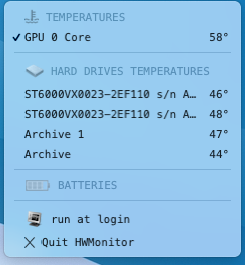
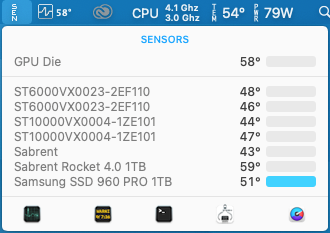
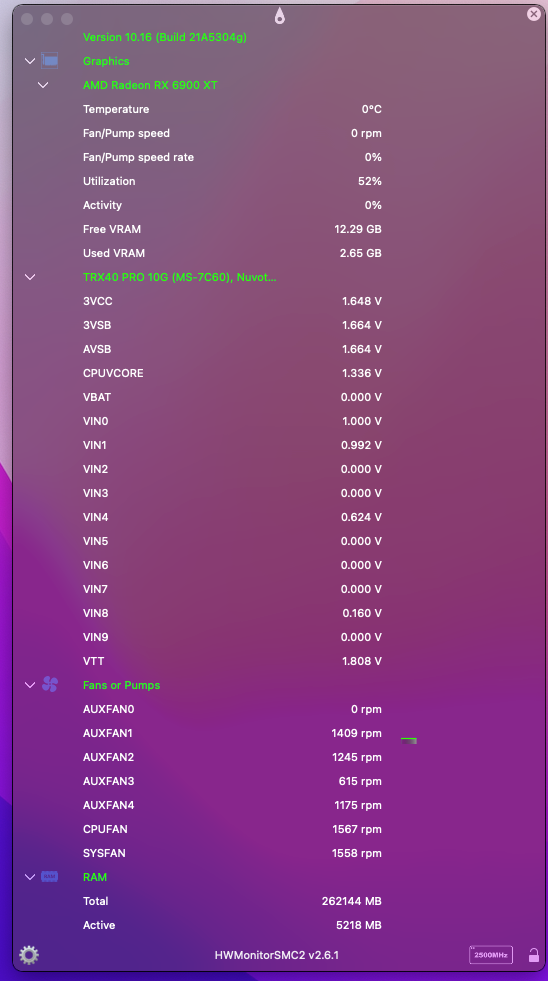
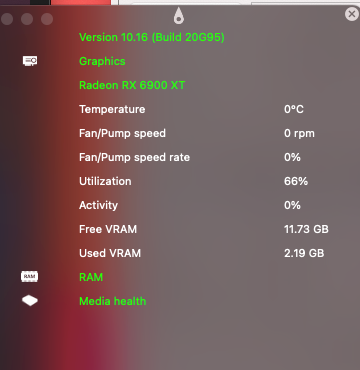
Ciao @Arrakis I am trying kexts and apps I can see utilisation of gpu (%) with HWMonitorSMC2 I can see Die Temp with HWMonitorSMC (only till Big Sur ) For now no RPM on FAN We have to find right mix to have all working (trying fakeSMC.kext and radeon plugin fabio@Mac-Pro ~ % kextstat | grep -v com.apple Executing: /usr/bin/kmutil showloaded No variant specified, falling back to release Index Refs Address Size Wired Name (Version) UUID <Linked Against> 19 1 0 0x18000 0x18000 org.netkas.FakeSMC (3.5.3) 503675DF-E091-38F2-AE0C-5A1F93D84E15 <15 9 7 6 3> 20 0 0 0x10000 0x10000 org.slice.RadeonMonitor (1.3.5) E2EAA0B3-8A35-387B-A86C-6E75659CFD8F <19 16 9 6 3> 53 3 0 0x2e000 0x2e000 as.vit9696.Lilu (1.5.5) 7B68D081-1C6B-3597-9455-F1803E31B48A <9 7 6 3 2 1> 54 0 0 0x181000 0x181000 as.vit9696.AppleALC (1.6.3) 571451FE-241B-3205-B100-C1E0E86F983A <53 16 9 7 6 3 2 1> 55 0 0 0xc000 0xc000 as.vit9696.RestrictEvents (1.0.3) CB8A2AD8-3AE2-3DF5-8398-BEB24C012480 <53 9 7 6 3 2 1> 56 0 0 0x20000 0x20000 wtf.spinach.AMDRyzenCPUPowerManagement (0.7) 10AE6854-47D8-3FE6-B1D3-66937EF615EF <53 16 12 9 7 6 3 2 1> fabio@Mac-Pro ~ %
- 97 replies
-
- 1
-
-
- rx 6900 xt
- rx 6800 xt
- (and 4 more)
-
VIDEO CARD 1: Model: Radeon RX 6900 XT Vendor ID: 02 10 00 00 (ATI/AMD) Device ID: bf 73 00 00 Revision ID: c0 00 00 00 Subsystem Vendor ID: 02 10 00 00 Subsystem ID: 3a 0e 00 00 class-code: 00 00 03 00 IOName: display pcidebug: 35:0:0 compatible: pci1002,e3apci1002,73bfpciclass,030000 acpi-path: unknown hda-gfx: onboard-1 pci-aspm-default: 0x0 IOPCIMSIMode true Additional Properties: AAPL,aux-power-connected: 01 00 00 00 ATY,RefCLK: a0 86 01 00 ATY,Rom#: 113-D4120100-100 ATY,PageFlipEnable: 01 00 00 00 ATY,FamilyName: 52 61 64 65 6f 6e 20 52 58 00 ATY,MaxStreams: 6 ATY,vram_base: 00 00 00 00 80 00 00 00 ATY,remap-size: 1075838976 ATY,DeviceName: 36 39 30 30 20 58 54 00 ATY,memsize: 17163091968 Metal properties: Recommended Max Working Set Size: 0xFF000000 Max Threads Per Thread group: width 1024, height 1024, depth 1024 Depth 24 Stencil 8 Pixel Format: true Max Thread group Memory Length: 65536 Programmable Sample Positions: true Read-Write Texture: 2 Removable: false Headless: false Is Low Power: false Performance Statistics: surfaceBufferReadOutBytes: 0 HWChannel VCN0Dec | Commands Completed: 0 freeSurfaceBackingWaitTime: 0 HWChannel Compute0 | Commands Submitted: 0 HWChannel VCN1Dec | Commands Completed: 0 gartMapInBytesPerSample: 0 HWChannel SDMA3 | Commands Completed: 0 gartMapOutBytesPerSample: 0 dataBytesPerSample: 0 orphanedReusableSysMemoryCount: 0 HWChannel SDMA1_PAGE | Commands Submitted: 0 oolTexturePageInBytes: 0 HWChannel SDMA0 | Commands Completed: 0 finish2DWaitTime: 0 context2DCount: 4 swapComplete2DWaitTime: 0 inUseSysMemoryBytes: 49340416 surfaceWriteLockIdleWaitTime: 0 HWChannel VCN1Enc | Commands Submitted: 0 HWChannel GFX | Commands Submitted: 0 HWChannel VCN0Enc | Commands Completed: 0 Fan Speed(RPM): 0 texturePageOutBytes: 0 gartCacheBytes: 33554432 orphanedNonReusableVidMemoryBytes: 0 swapBytesPerSample: 0 oolTextureCreationCount: 0 surfaceSetShapeIdleWaitTime: 0 volatileSurfaceCount: 0 hardwareSubmitWaitTime: 0 gartSizeBytes: 92341796864 HWChannel SDMA1 | Commands Submitted: 0 orphanedNonReusableSysMemoryCount: 0 Temperature(C): 0 Core Clock(MHz): 0 HWChannel SDMA2 | Commands Completed: 0 clientGLWaitTime: 0 HWChannel KIQ | Commands Submitted: 0 orphanedReusableSysMemoryBytes: 0 HWChannel Compute1 | Commands Completed: 0 orphanedReusableSysMemoryHitRate: 0 HWChannel GFX | Commands Completed: 0 surfaceCopyOutWaitTime: 0 stdTexturePageInBytes: 0 ioSurfacePageOutBytes: 0 HWChannel VCN1Dec | Commands Submitted: 0 agpTextureCreationBytes: 0 bufferFlipCount: 0 iosurfaceTextureCreationBytes: 0 HWChannel VCN1EncLLQ | Commands Completed: 0 freeToAllocGPUAddressWaitTime: 0 finishCLWaitTime: 0 stdTextureCreationBytes: 0 HWChannel SDMA2_PAGE | Commands Completed: 0 agprefTextureCreationBytes: 0 HWChannel VCN0EncLLQ | Commands Submitted: 0 orphanedReusableVidMemoryCount: 1257 finishAll2DWaitTime: 0 textureReadOutBytes: 0 orphanedReusableVidMemoryHitRate: 95 vramEvictionWaitTime: 0 HWChannel VCN1EncLLQ | Commands Submitted: 0 swapCompleteGLWaitTime: 0 orphanedNonReusableSysMemoryBytes: 0 finishGLWaitTime: 0 stdTextureCreationCount: 0 contextCLCount: 0 ioSurfacePageInBytes: 0 Total Power(W): 0 surfaceTextureCreationCount: 0 HWChannel SDMA3_PAGE | Commands Completed: 0 agprefTextureCreationCount: 0 dataBufferCount: 0 iosurfaceTextureCreationCount: 0 surfaceCount: 44 clientSharedAllocatedBytes: 1101824 HWChannel SDMA3_PAGE | Commands Submitted: 0 surfaceCopyInWaitTime: 0 contextVideoCount: 0 HWChannel KIQ | Commands Completed: 0 HWChannel SDMA0 | Commands Submitted: 0 HWChannel VCN1Enc | Commands Completed: 0 HWChannel Compute0 | Commands Completed: 0 contextGLCount: 3 HWChannel SDMA1 | Commands Completed: 0 surfaceBufferPageInBytes: 0 hardwareWaitTime: 0 HWChannel VCN0Dec | Commands Submitted: 0 oolTextureCreationBytes: 0 HWChannel SDMA0_PAGE | Commands Submitted: 0 HWChannel SDMA2_PAGE | Commands Submitted: 0 surfaceBufferPageOutBytes: 0 inUseVidMemoryBytes: 747151360 vramFreeBytes: 13583810560 HWChannel SDMA2 | Commands Submitted: 0 HWChannel SDMA0_PAGE | Commands Completed: 0 gartFreeBytes: 92292456448 finishVideoWaitTime: 0 HWChannel SDMA3 | Commands Submitted: 0 HWChannel Compute1 | Commands Submitted: 0 Fan Speed(%): 0 HWChannel Compute2 | Commands Submitted: 0 GPU Activity(%): 0 orphanedNonReusableVidMemoryCount: 0 HWChannel VCN0Enc | Commands Submitted: 0 surfaceReadLockIdleWaitTime: 0 recoveryCount: 0 agpTextureCreationCount: 0 textureCount: 2176 freeDataBufferWaitTime: 0 ioSurfaceReadOutBytes: 0 textureVolunteerUnloadBytes: 0 bufferSwapCount: 0 gartUsedBytes: 49340416 freeSurfaceSwapBufferWaitTime: 0 Memory Clock(MHz): 0 HWChannel Compute2 | Commands Completed: 0 HWChannel VCN0EncLLQ | Commands Completed: 0 Device Utilization %: 0 HWChannel SDMA1_PAGE | Commands Completed: 0 swapCompleteVideoWaitTime: 0 surfaceBufferTextureCreationCount: 0 orphanedReusableVidMemoryBytes: 2832130048 VRAM,totalMB: 16368
-
ciao Augusto credo siano DDR3 e kit da 32gb forse costicchiano di marca due kit di questi: https://www.amazon.it/Patriot-Viper-Black-PV316G160C9K-PC3-12800/dp/B008LTJJJ0/
-
for a project we have in our mind to do we need more ACPI for different motherboard (AMD Motherboard) For now we have: MSI TRX40 Pro (fabiosun) ASRock X570 Steel Legend (tomnic) ASRock Fatal1ty X370 Gaming X (carlo_67) ASUS_ROG_STRIX_X570-E (Shaneee) ASUS_ROG_Strix_X570-F_Gaming (Audiogod) MSI_X570_Unify (thread Icanaro) AsRock X570 Taichi, BIOS 4.60 (baronerosso) If you want to contribute with your ACPI, post in this thread ACPI and motherboard name Thank you
-
ciao quante volte ti ha fatto riavviare? almeno tre volte per completare la procedura e ti dovrebbe di default al riavvio selezionare mackintosh HD per continuare la procedura