
fabiosun
-
Posts
11,953 -
Joined
-
Days Won
581
Content Type
Profiles
Forums
Events
Downloads
Everything posted by fabiosun
-
si poiche' quello ufficiale va riabilitato per l'ultima fase contento che hai risolto 🙂
-
nelle prime fasi dell'installazione va tolto altrimenti riavvia sempre o usare uno modificato che trovi anche qui nei thread di tahoe in teoria la tua 6800 se non ricordo male non ne dovrebbe necessitare di quel kext (probabilmente sbaglio)
-
Usi whatevergreen.kext? qualche dato in piu' sulla EFI aiuterebbe chi puo' aiutarti
-
you will gain a bit in performance and also a better thermal design
-
i think your CPU lacks of some PCIE lanes... and this is a problem usually motherboard loose a nvme slot in your case seems differemnt
-
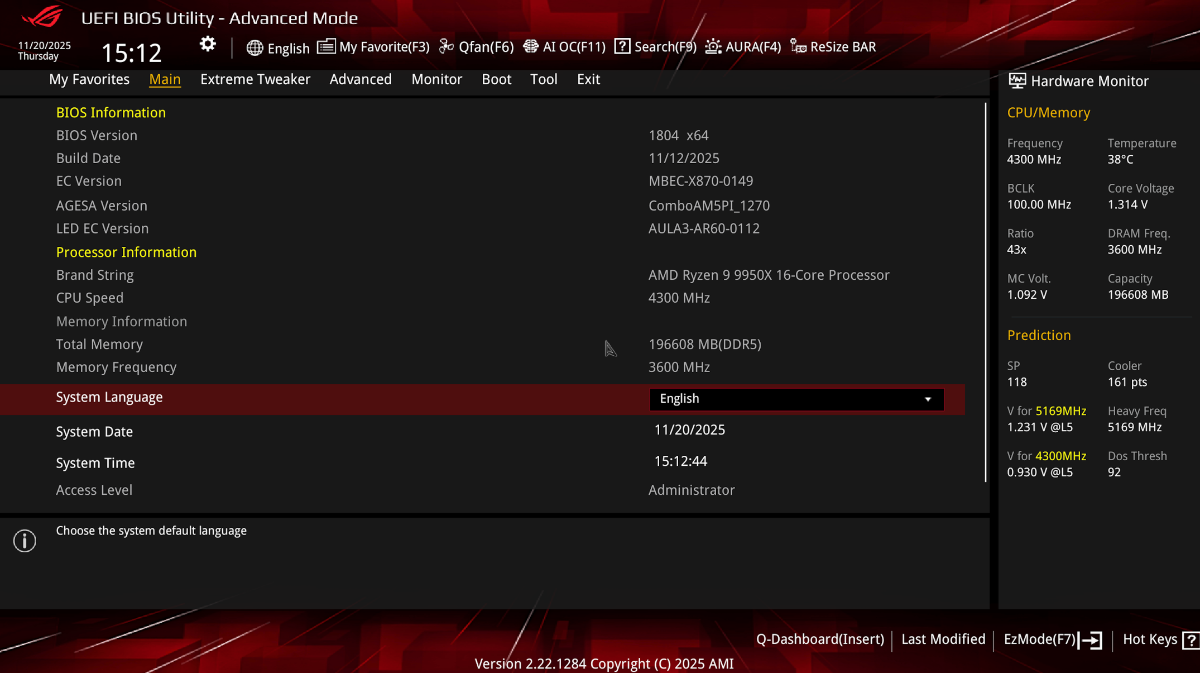
1804-patches_OC.plist.zip tada ChorpNewt (aka CorpGhost) did it again! Now also asus x870e Hero 1804 works 🙂
- 117 replies
-
- 1
-

-
- x870e motherboard
- asus
- (and 1 more)
-
do not update for now. it needs new ACPI patches if we are lucky 😉

- 117 replies
-
- 1
-
-
- x870e motherboard
- asus
- (and 1 more)
-
@khileare you sure that rx6600 is full working? have you tried it with other os?
-
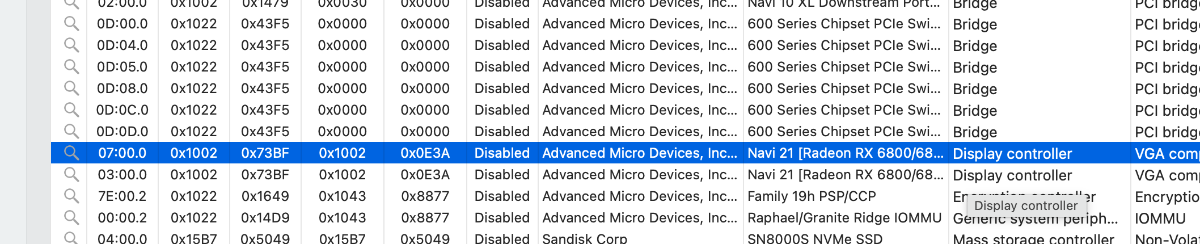
organize for class tab and see display controller from your file i can see only 4090 gpu are you full fill all your nvme slot? i do not remember if Proart disable some pci slot if it is fullfilled have a look to your manual
-
@khilewhich config.plist? download hackintool app from there we can try to enable your gpu but i do not know how to have RX to act as primary in OSX
-
probably we should find pci address for rx slot and build a bridge for it with ssdtime if you do not do damage i would for only try to remove your 4090 and use rx 6600 on first gpu slot near CPU or try to enable whatevergreen kext if disabled or enabled it... now all is good and the only variable are your beast unsupported installed on system (i dont know how to disable it correctly in OSX) other variable is PCI bridge for your slot
-
you should not see verbose output do for a couple of time
-
try config plist put above
-
did you wait a bit and always stuck there? if so you can try to disable -v in your boot arg and see if it works config.plist.zip
-
let see if it instal then we have to see if your gpu is accelerated and audio part 🙂 happy for you also for me because i thought i lost my touch (in hackintosh ) 🙂
-
config.plist.zip using aquantia Archive.zip using intel ones copy the kext in your /oc/kext folder try both separately (both config posted)
-
you should try with both lan you have but we have to modify your config if you like to try i will do for you let me know
-
ohhhhh ok we can try to enable your aquantia or the other one
-
config 2.plist.zip press space bar reset nvram then try again
-
could you connect both monitor on rx 6600 (leaving your 4090 inside)? and press space before launching your USB pen icon (then reset Nvram)
-
overwriteconfig.plist only with this config.plist config.plist.zip
-
post a video if you can from when you start the system and choose your usb sticks
-
this is not relevant (sorry) because i think it happens before you see the boot menu Or after? i mean apfs efi on rx amd gpu @khiletry this EFI and post a video disable on bios asus logo and fat boot please EFI 2.zip
-
in key management have you cleared secure boot keys? but it should be done because you see boot menu i would try to disable resize bar option and then also 4g in two different tries...but...now i am out of good ideas
-
this puzzle is intriguing 🙂 If you have time and will post all your bios settings (usually only boot section is useful) see if you have the virtualization option in the BIOS enabled or disabled in some bios part but always weird you cant see the initial booting stage