
fabiosun
-
Posts
12,066 -
Joined
-
Days Won
603
Content Type
Profiles
Forums
Events
Downloads
Everything posted by fabiosun
-
Questa e' basata sulla tua iniziiale con kext , patches ed SSDT aggiornati ed alcuni quirks modificati vediamo se vedi l'installer partendo da questa efi messa sulla tua usb EFI 3.zip Fai sempre foto di cosa vedi al boot menu ed eventuali errori di blocco
-
si l'ho scaricata sto sistemando speriamo
-
allora dobbiamo partire dalla EFI che ti fa vedere la recovery se selezioni come boot la penna usb da questa ora che hai il bios sistemato (controlla se hai seriali o parallele attive e disabilitale) Da qui sistemiamo le patch
-
La efi iniziale che hai messo e la mia successiva ti davano un errore che di solito compare appena clicchi su una icona di osx o di installazione OSX da te appare cosi'? senza cliccare su nulla?
-
Non vedevi icona dell'installer? hai quindi anche un altro disco con windows su questa macchina ? questo config lo hai provato con la mia EFI precedente a quest'ultima?
-
config.plist.zip prova con questo config e la stessa efi di prima
-
Ok, Se UEFI e' settato va bene tuto ok il resto ah, se hai su piastramadre e nel bios qualcosa relativo a porte seriali e parallele vanno messe su OFF hai provato l'altro config con la mia EFI? solo il disco non conosco ma sarebbe molta sfortuna se non fosse compatibile e ce ne accorgeremmo dopo questa fase che non parte per nulla se vuoi se anche l'altro config si ferma li prova questa EFI EFI.zip
-
pranzo e poi sono sul forum per un po' nel caso cerchiamo di fare meglio se la hai prepara una USB o due e facciamo le prove partendo sempre da quella scrivi per bene come hai preparato la recovery , tipo di usb pen e tipo di disco la rx 570 di che marca e tutto quello che puo' servire 🙂 nel frattempo se sei certo di aver usato la mia efi prova questo config e vediamo se si sposta da quel punto che e' proprio la arte iniziale purtroppo 😉 ù config.plist.zip
-
Sei sicuro che usi quella EFI? non ti scusare, dobbiamo essere certi di alcune cose. Se usi la recovery dobbiamo anche essere certi che la tua ethernet abbia il kext giusto per lei ma se ti si ferma li anche con la mia efi dobbiamo partire dal bios UEFI ON CSM OFF 4G On Resize bar come lo hai conficurato? per iniziare descrivi un po' le pagine del tuo bios di motherboard
-
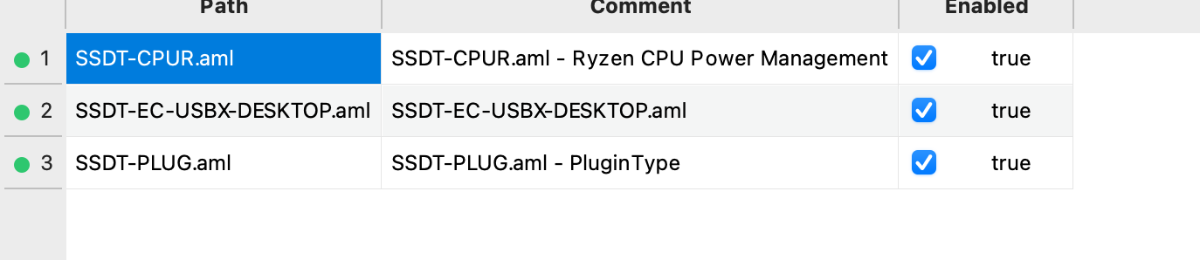
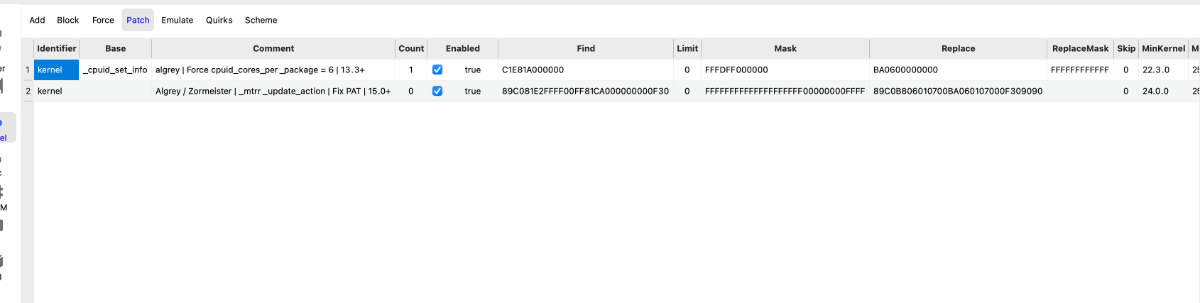
@TommHackprova la mia che la tua sezione patches e' disastrosa..poi devi usare solo un ssdt tra Plug e CPR non entrambi poi anche per la mappatura USB hai il problema che ti dice anto oltre al fatto che non so se e' fatta per il tuo pc 🙂 e tutte le altre? non basta mica solo quella 🙂

-
poi sistemiamo anche questa... si puo' ma vanno usate altre patch ACPI con i bios ecenti il mio che ancora non e' perfetto ma almeno ti mette come interna la usb del BT poi metti anche la solite (le solite immagini ) di hackingtool per vedere se sparisce quel wireless device 🙂
-
EFI tommy.zip Tommy, se vuoi provare questa e' un po' piu' agiornata, sempre con le variabili che ti ho scritto su, ma potresti fare dei passi in avanti
-
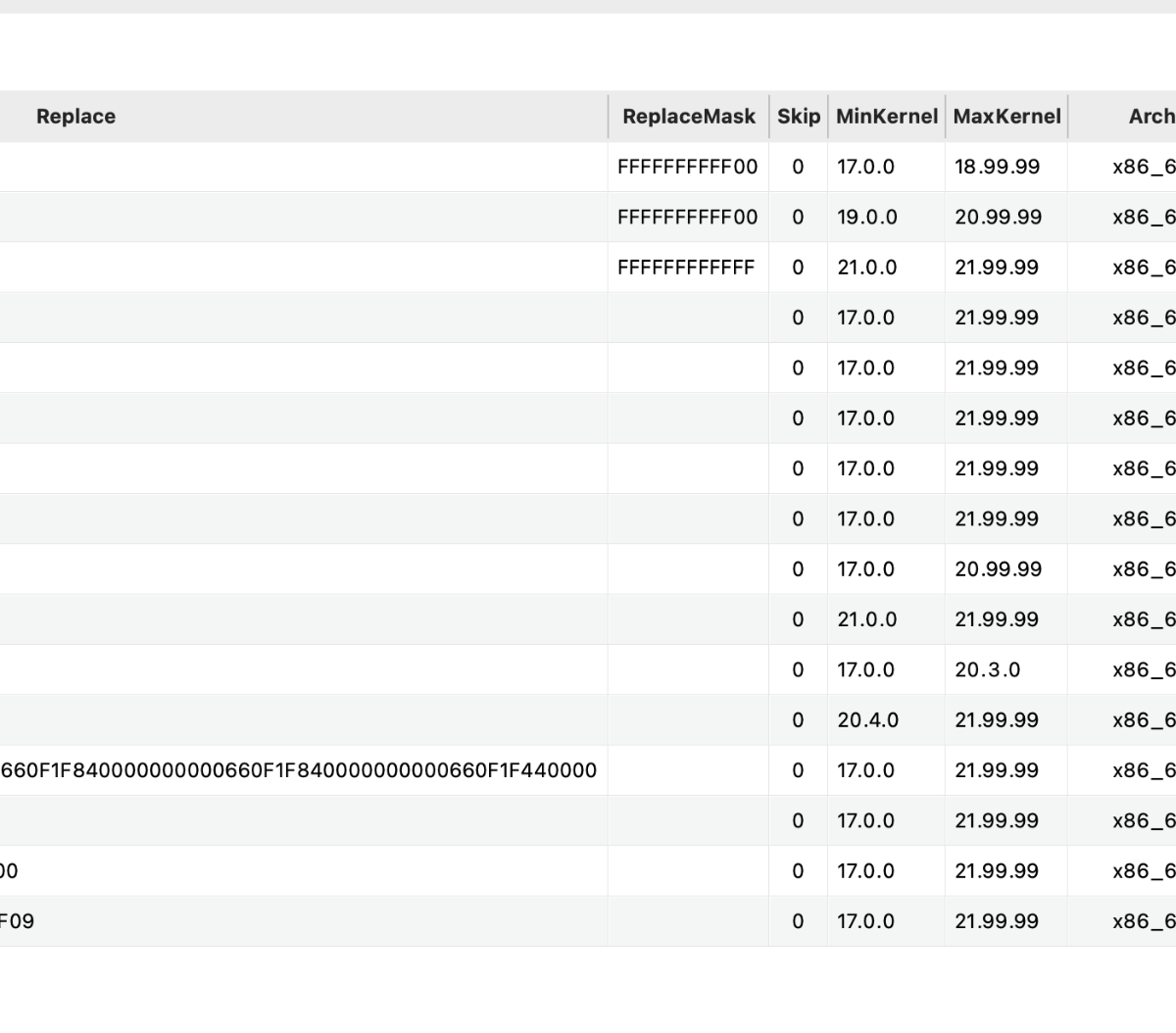
questi sono i max kernel delle tue patches e sono valide per vecchi os
-
@TommHackbenvenuto Le patches amd che hai in uso in questa EFi sono piu' vecchie di me e non valide per Sequoia Aggiornerei le stesse prendendole dal sito ufficiale AMD kernel patches su github Anche la parte USB map mi sembra non completa, ma e' piu' importante la parte delle patches che ti dico sopra Come hai creato la parte per installare sequoia? hai fatto una usb con un installer full o recovery? Poi l'ultimo allegato va a sostituire uno che hai messo già in EFI (o uno o l'altro) parlo di SSDT CPUR andrebbero creati appositamente per il tuo hardware utilizzando SSDTTime
-
il wifi lo disabiliti da bios insieme al bluetooth? parlo di quello di serie e non il broadcom su schedina
-
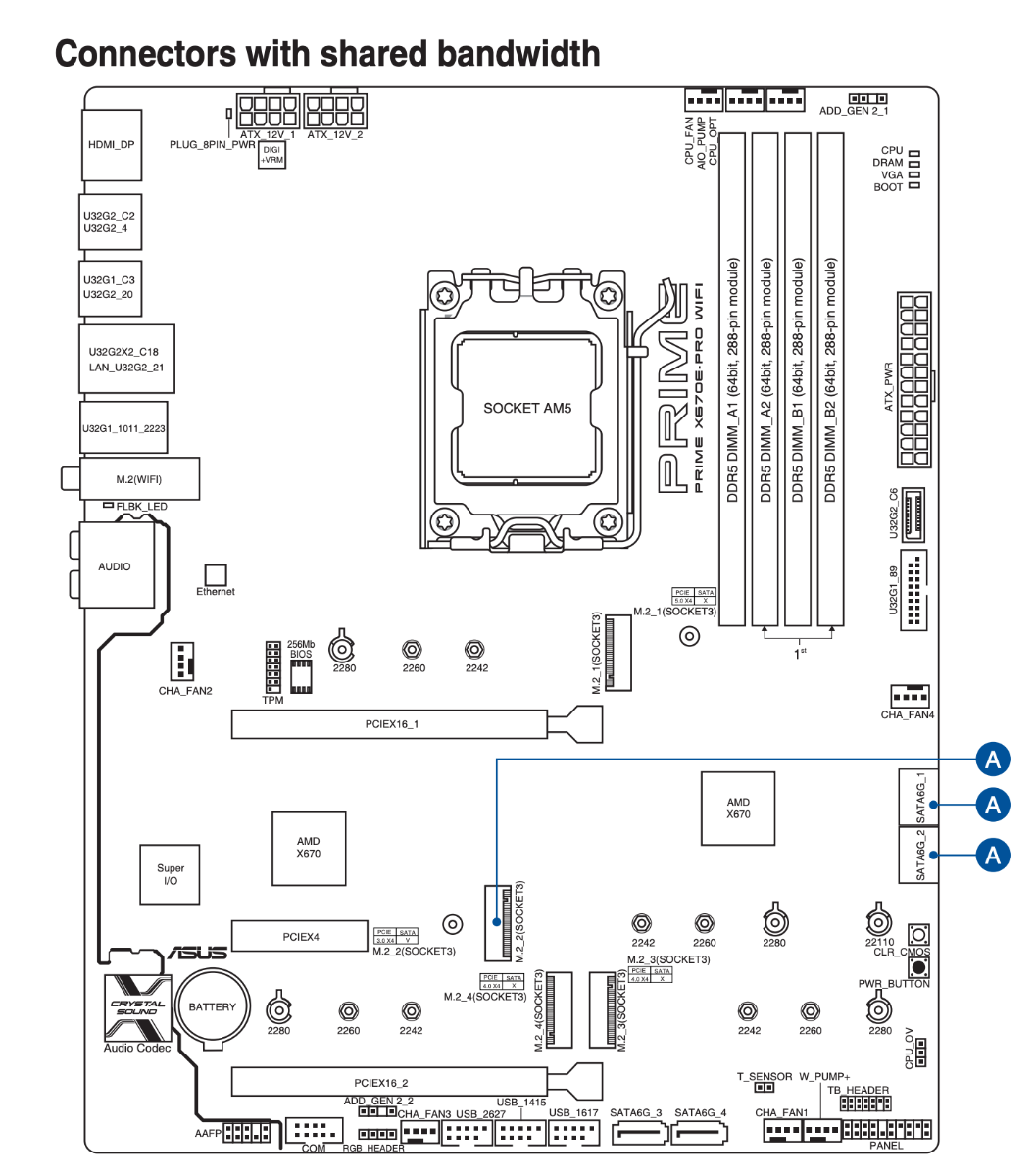
Disabiliti il wifi interno ed il Bluetooth interno? Il wifi broadcom e' su scheda PCIe mi pare? su che slot? A seconda delle cose che hai sul pc tipo nvme, sata disk, ti potrebbe disabilkitare qualcosa Comunque il wifi ed il BT di serie vanno disabilitati da bios se non hai sostituito direttamente li la schedina (come ho fatto io smontando tutta la piastra)
-
in questa condizione devi provare questo config:
-
Post your efi working with sequoia
-
Togliti dalla testa @danyche OCLP faccia qualcosa alla tua EFI la app scrive sul disco dove viene applicata su hackintosh (su veri mac fa anche altro ma da noi no) prova questo config: Config.plist.zip se hai ancora il disco come ieri dove non ti partiva piu' salva il config della pennetta che andava e mettici questo
-
@Muhammed Salahi would like peace in all the world 🙂 only joking!! put your exact hardware you desire a "working" EFI!
-
La mappatura é ancora da sistemare da altro pc puoi modificare il config il reset NVRAM non serviva a questo punto peró non so dove sbagliamo
-
Devi solo sostituire il config.plist prima di riavviare per fare un ultimo riepilogo😅
-
config.plist.zip rimetto il config tanto per ora niente beta 🙂 questo da usare prima del riavvio dopo che OCLP ha finito il suo lavoro
-
il kdk di dany porta il numero della beta che ho su io (26.3) quindi dovresti avere quella versione per tahoe se non h letto male Comunque fai la patch appena finisce in automatico creod la faccia da se e poi parti con il config ultimo, lo puoi già copiare sul disco togli eventuali pennette se connesse e che la divinità di hackintosh ce la mandi buona 🙂
-
tanto io aspetto @Anto65che annuncia la nuova beta 🙂 prendi il config ultimo quando ha finito la patch e poi speriamo che parta, rileggi bene ultimo messaggio sopra che aggiungevo cose