

fabiosun
-
Posts
12,104 -
Joined
-
Days Won
606
Content Type
Profiles
Forums
Events
Downloads
Everything posted by fabiosun
-
tutto il mio sapere e' infuso in OCAT 🙂
-
li c'e' da sistemare gli ssdt che hai in uso per non farli caricare in windows al momento fai partire windows tramite bios fino a che non passa qualcuno di buona volontà che te li sistema
-
lo so ma vorrei vedere se la vede e se e' attivata 🙂
-
@Serrosscosa vedi qui? usa HackCheck per vedere le reti che hai

-
si apre devi usare la app postata sopra (v.302)
-
le icone hanno nomi differenti..ma li credo sia altro problema il reset NVRAM e' li pero' :9
-
premi spazio e vedi se ritorna l'icona di resetNVRAM se torna hai Hide auxiliary on nel config.plist (forse)
-
complimenti a Lorys per la modifica di un SSDT importante e pure a macOS86.it per essere stati ascoltati dai devs di OpenCore 🙂 Last login: Mon Nov 7 16:57:01 on ttys000 fabio@Mac-Pro ~ % /Users/fabio/Downloads/OpenCorePkg-master/Binaries/OpenCore-0.8.6-RELEASE/Utilities/ocvalidate/ocvalidate /Volumes/EFI/EFI/OC/config.plist NOTE: This version of ocvalidate is only compatible with OpenCore version 0.8.6! Completed validating /Volumes/EFI/EFI/OC/config.plist in 1 ms. No issues found. fabio@Mac-Pro ~ %
-
spiega bene quando non funziona cosa accade Config.plist.zip sostituisci il config e prova con la 6600xt
-
https://github.com/almshary/Asus-Z170-A-Opencore-0.8.5/releases prova a vedere se questa EFI può' andare bene per te e' OpenCore, ma fino a che non trovi qualcuno che ti aiuti con clover forse provare non e' sbagliato trovi anche le impostazioni precise che usa nel bios
-
moved i210 posts on @Arrakisthread to keep here more simple to read for others
-
Per windows si su OS X non va A circa 300 euro prendi anche una 6600 xt nuova
-
@dfrank970 un primo aiuto è che la tua GPU funziona bene da Monterey 12.x e non con OS X inferiori speriamo che qualcuno che usa clover venga in tuo soccorso se lo hai già aggiornato alle ultime versioni
-
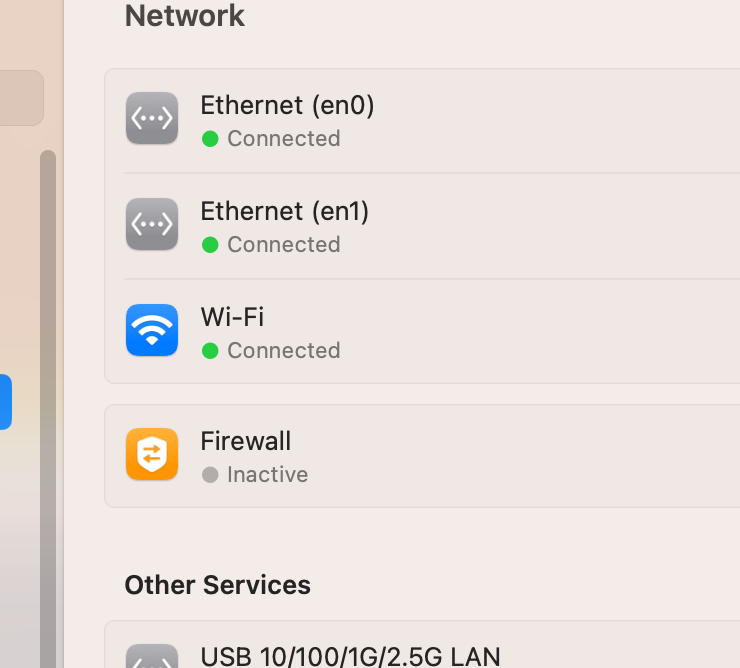
with latest kext both ethernet on with cables
-
@Arrakistry to disable on unused ethernet DHCP it will turn immediately in OFF status then shutdown the pc and on it again to see If something new happens
-
let me know if you find a solution... it could happen to all of us!
- 3,995 replies
-
- 1
-

-
- amd vanilla patches
- amd kernel patches
- (and 3 more)
-
our system are also today top system..but they are considered old in amazon .it you can find something Motherboard I know work are MSI Trx40 creator MSI TRX40 Pro 10G Gigabyte Trx40 Designare 1/1.1 Gigabyte Aoros trx40 Extreme but you can also try to see in this thread other models also you can try to downgrade a bit your bios....but this are only desperate tries to do
-
MSI trx40 pro 10G works but I would like to have yours to understand because it is very weird
-
No idea then, it seems it does not like cloned Mac disk I would try to clone your big sur in mackintosh in the same way you did for Ventura in your real Mac and see if it is a cloning option problem I do not think so..but it is one to the latest try brfotr to give up..I did a fast search on internet and I have found only Big Sur users with your motherboard very weird we discover this big problem on a trx40 system
-
@Arrakishave you tried to disable from bios a lan power off pc and power on with only the lan enabled connected?
-
and big sur start well in both EFI?
-
if you try to boot on new cloned disk starting from your Big Sur disk EFI (it should be also the same EFI)
-
it seems you have no copied well all your EFi inside the new disk @Cosmin Batica
-
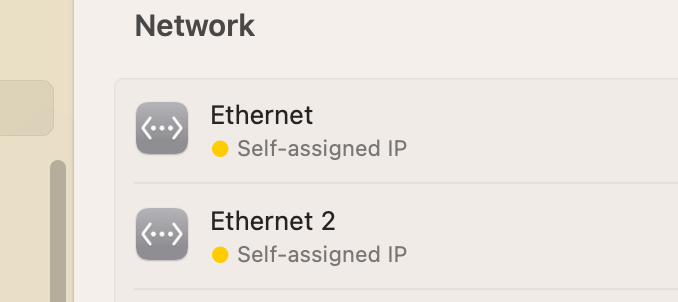
@Lorys89if I connect both lan I see for both this:
-
when dev will be ready he will publish it for now we have a real working well kext 😉 me @tomnic@Lorys89 @Arrakisand others have helped in some testing and debugging... for now our bank money are always there! 🙂