
fabiosun
-
Posts
12,040 -
Joined
-
Days Won
599
Content Type
Profiles
Forums
Events
Downloads
Everything posted by fabiosun
-
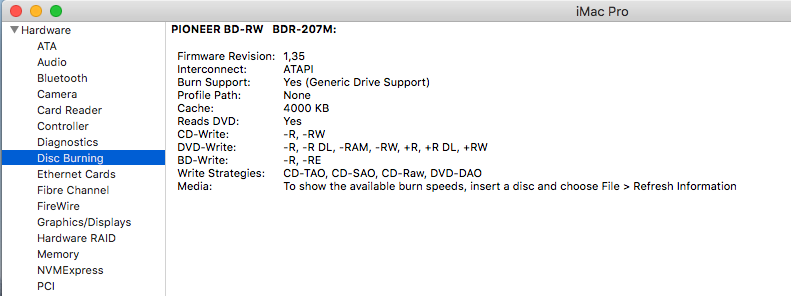
peccato che mi mancano i drivers..altrimenti pure questo vizio me lo riprendevo volentieri 🙂
-
-
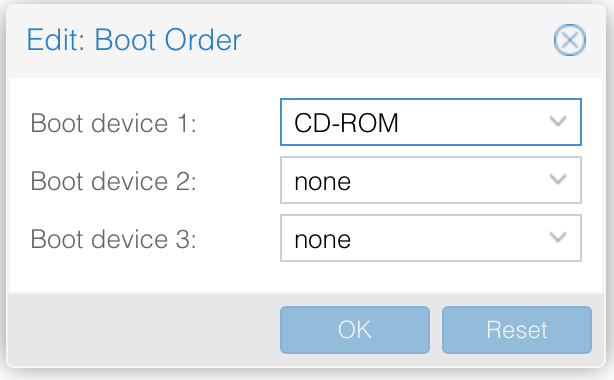
follow the instructions here and in main guide Have you patched deb file? if so revert to a non patched one then enter in ovmf bios and put your nvme drive as first device to boot you can put CD-ROM drive as second in vm config option put cd rom as first none to second and third one option in this way you can boot from your nvme drive obviusly it must have inside a bootable EFI partition

-
Have you patched deb file? if so revert to a non patched one then enter in ovmf bios and put your nvme drive as first device to boot you can put CD-ROM drive as second in vm config option put cd rom as first none to second and third one option in this way you can boot from your nvme drive obviusly it must have inside a bootable EFI partition
-
If you did so you have it and you can format it in disk Utility you can also see pressing F2 on proxmox logo after vm start inside boot option if you can’t see it something where wrong Ah no need to select pci express flag in passing
-
ah by the way, check this: # /etc/modules: kernel modules to load at boot time. # # This file contains the names of kernel modules that should be loaded # at boot time, one per line. Lines beginning with "#" are ignored. vfio vfio_iommu_type1 vfio_pci vfio_virqfd and also the main thing..IOMMU in your grub.cfg config file
-
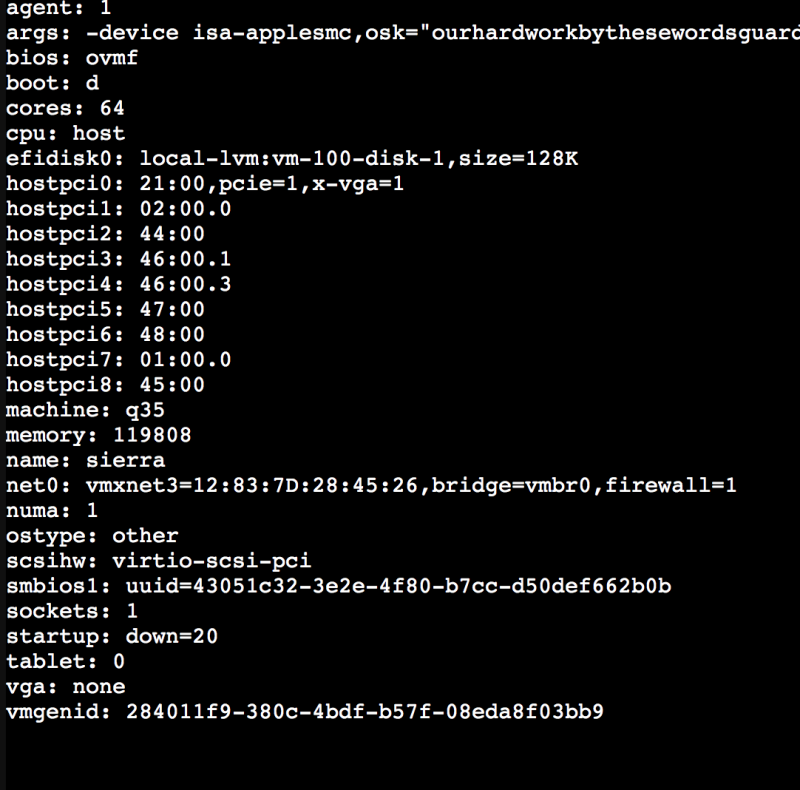
@iGPU In my opinion now you miss a part of blacklisting..in my case and when other will test I can affirm many part can be skipped. Now below some advices based on my experience on my board: avoid to pass 23:00 for now, this can be problematic. I am waiting other users to test because for this I am on a dead end (there is a problem with it in most TRX40 motherboard) I am also searching for 3950x user of good will to understand if this is a common problem or not (here we are working on it with @iCanaroand @tomnic) you can pass easily these one: hostpci0: 4b:00,pcie=1,x-vga=on,romfile=vega56.bin hostpci1: 01:00 #nvme hostpci2: 02:00 #nvme hostpci3: 44:00 #I211 hostpci4: 45:00 #I211 hostpci5: 46:00.1 #USB (PAY ATTENTION) maybe you have connected your Usb keyboard or mouse in this controller hostpci6: 46:00.3 #USB (See above) hostpci7: 47:00 #Sata controller hostpci8: 48:00 #Other sata controller ide2: local:iso/opencore.iso,cache=unsafe,size=256M Your VGA may have need to additional step (not tested personally) try to see @Imanolpart in main guide he has to do additional steps to boot with his 5700XT I know some user using radeon VII without additional steps (also here not tested on my own) usb0: host=22d4:1803 usb1: host=045e:07f8 usb2: host=8087:0029 if this part are mouse,keyboard and audio related..you can avoid it if you have passed right usb controller if you pass a controller and a single usb or more on it could be a problem I suggest, to simplify your initial configuration part to try without passing entire controller..maybe only your passed OSX disk Inside it you can put your working opencore EFI and so you can comment also ide2 line in your config By the way I do not know where your OSX disk is situated (controller 01:00 or 02:00) but if you pass the ones of your OSX system you can avoid to use both of the following lines in config sata0: local-lvm:vm-102-disk-0,cache=unsafe,discard=on,size=32G,ssd=1 sata2: /dev/disk/by-id/nvme-Sabrent_Rocket_4.0_1TB_03F1079C104401028054,size=976762584K first one is a virtual disk useful to install on it OSX second one is your Sabrent passed in a singular way (could conflict If you pass entire nvme controller 01:00 or 02:00)
-
@iCanaro perche' impostata manualmente? il dhcp non va?
-
a test for AMD Gpu users. If you know what you are doing and you are booting your OSX from a passed disk try to comment EFI disk in your VM config In my system it boots fine the same except for Nvidia driver not loaded correctly, I think it is for me a Nvram problem.. I am curious to see what happens with OSX supported GPU to comment VM line you can put this # at line's start
-
Hi in vm no i have Windows right n a separate disk previuosly I have had also windows in a vm file no time shift problem you have maybe to add a register key in windows
-
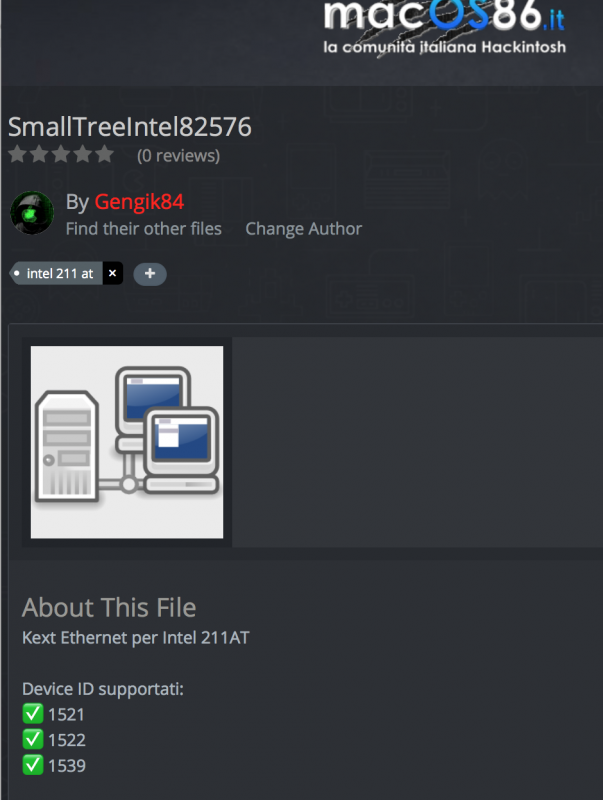
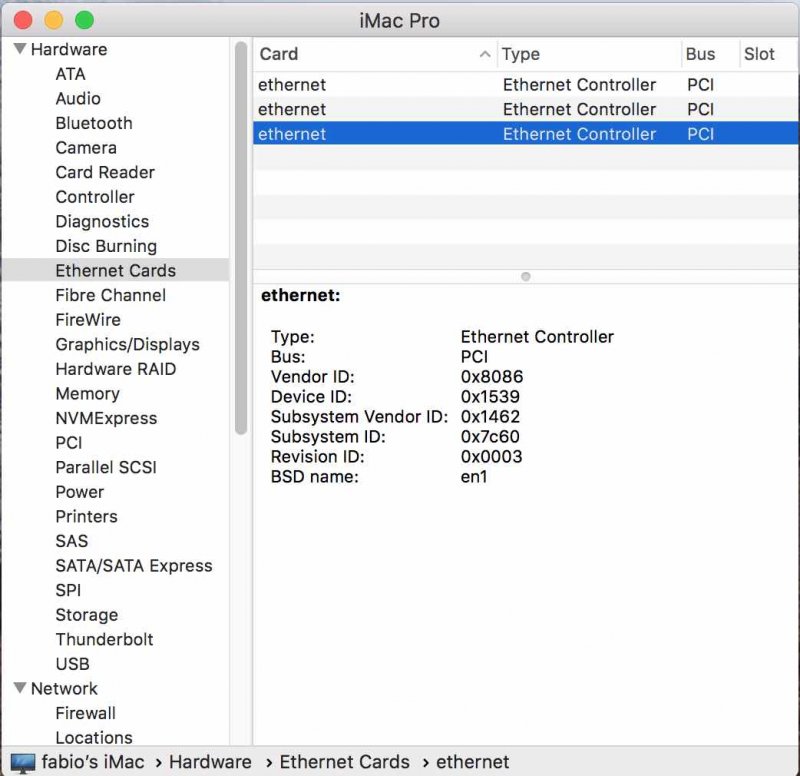
As pictures above this message shows MSI trx40 Pro 10g motherboard has 2 i211 Gigabit network connection. To activate it we have to add a kext in our EFI folder: SmallTreeIntel82576 download from here check if id vendor is compatible with your ethernet card with dcpimanager (download it from here) in my case you can se 1539 value. As you can verify under "Supported device" in above pictures reboot your OSX and you have now your two Gigabit Ethernet available!
-
ciao presentandoti hai fatto il primo passo benvenuto a breve potrai scaricare quello che desideri 🙂
-
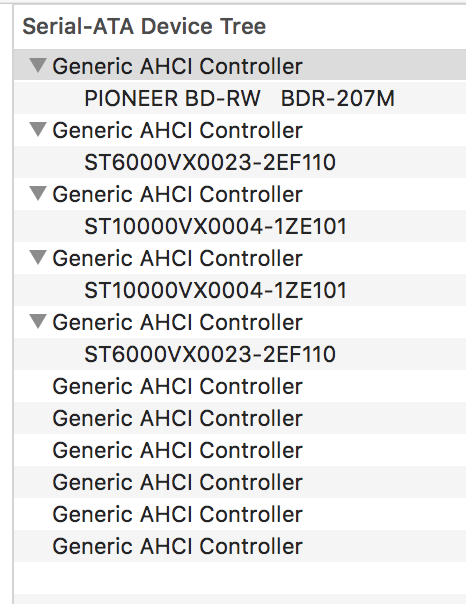
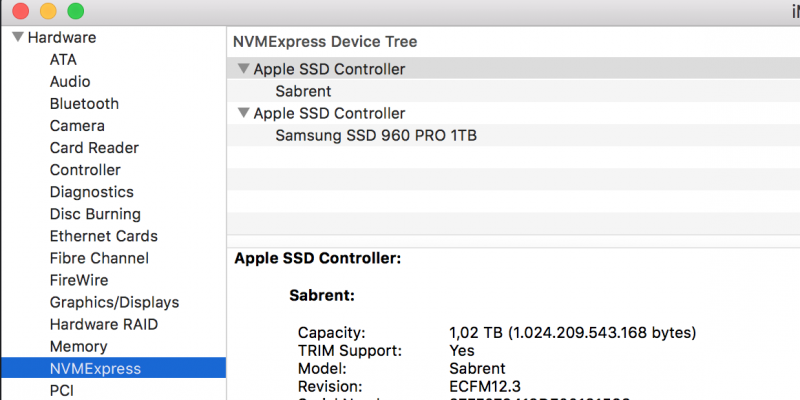
and this is the final result: in sabrent NVME disk i Have EFI partition with opencore and OSX partition for High Sierra All disk controllers (Nvme and sata) passed!
-
@Pierpaolo01Prose l'utente non ha un minimo di esperienza meglio non indicare soluzioni potenzialmente rischiose anche se corrette Da verificare in primis se i nuovi BIOS per la rampage includono l'opzione sblocco MSR (ultimamente Asus lo fa) e poi se non ci fosse provare prima la patch del kernel reboot fix (di piker alpha) Credo negli ultimi clover sia stata integrata nelle varie opzioni automatiche di patching presenti nella sezione Kernel altrimenti attivarla nella apposita sezione (Kernel patches)
-
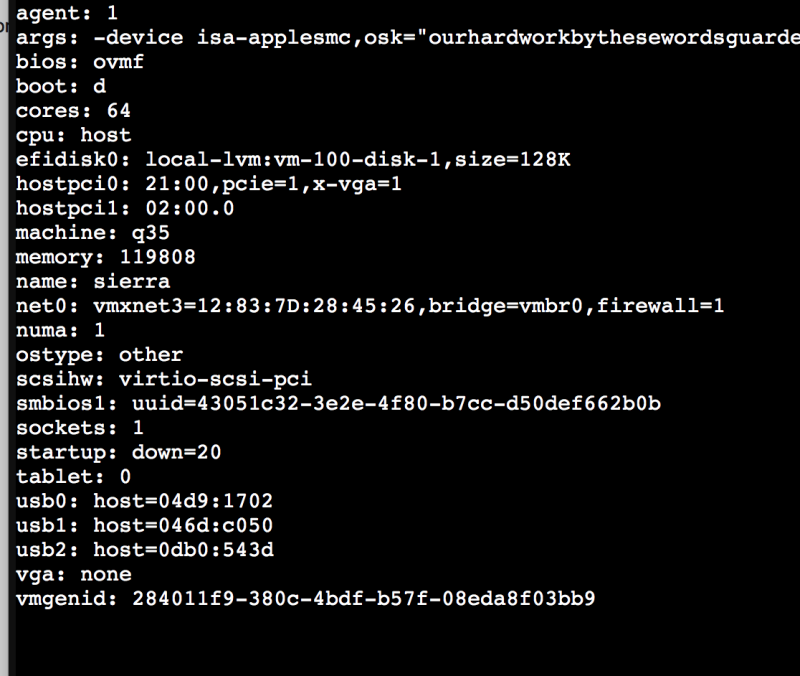
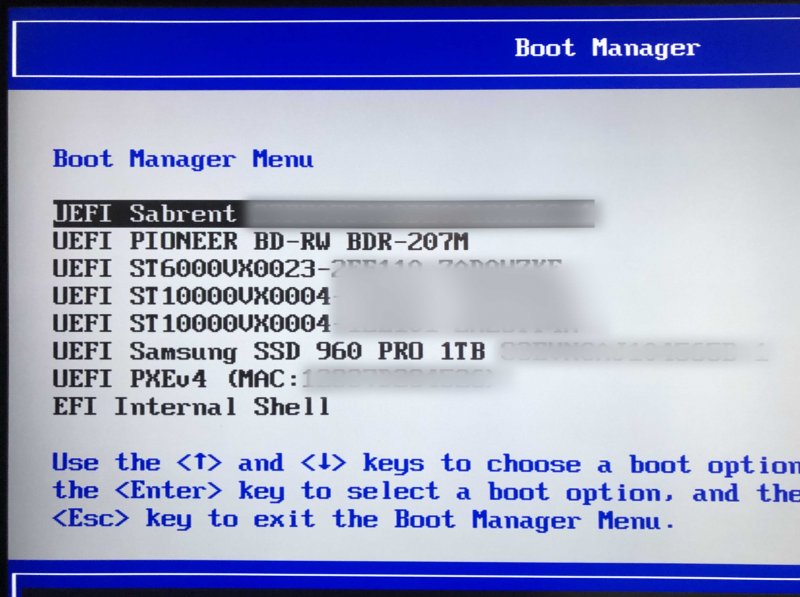
Stimolated from this @pavo user message here: I did further investigation on my problem (boot order) Now it is working. Problem was on patched OVMF bios in my case (I am investigating so I can't be definitive in this aspect, you can try by yourself) I reverted to a non patched one and now I have correct boot order. If someone else could try I will update my guide consequently 🙂 now I have this : so no more qemu-drive (virtual disk on file present 😉 in my case no need to point to a bootx64.efi file in OVMF bios
-
Il consiglio è di pensare ad altro La tua scheda video non è supportata con essa puoi installare sino ad high sierra su sistemi maggiori non avrai accelerazione video
-
Welcome here when you have time put your hardware in your profile’s signature, it will be more simple to help you if needed
-
quanto tempo e' passato..ma alla fine mi sono Hakkato pure me 😛
-
updated OP new 1.0.5 VM Assistant release
-
hi I see 4 potential problems: 1) args: -device isa-applesmc,osk="ourhardworkbythesewordsguardedpleasedontsteal(c)Apple$ this is not complete 2) net0: vmxnet3=92:C8:08:B1:2D:BE,bridge=vmbr0 net1: e1000=FE:8F:05:47:A8:1E,bridge=vmbr0 net2: rtl8139=46:D4:B9:63:16:44,bridge=vmbr0 net3: virtio=36:6C:02:76:47:2E,bridge=vmbr0 3) sockets: 3 4) you miss installer iso in your VM (HS,Catalina, Mojave) I see only clover iso also a potential error is to leave media cdrom on ide0 line you should follow the guide and put there cache=unsafe for point 3) put 1 and use all your 48 cores in cpu I do not think this is a 3960x problem...I have 64 core and 1 socket from day 0 and yes, if you pass your VGA you have to put none in display part
-
Hi post your VM config and shell output of: lspci -nn
-
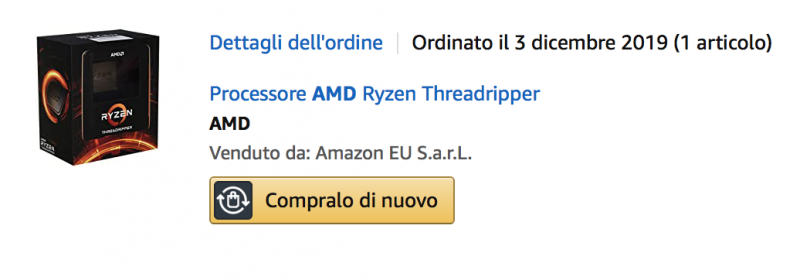
Hi @jasin755 take a look on this picture: It says ordered on 3 December 2019 I received it on 4 December togheter my motherboard. Other components were there. On 4 December (about lunch time) I have had first bad news...NO OSX for it..no way OSX it is not my main system but I wanted it 🙂 from this day I have dedicated some time to have OSX working in my system. This preface to say.. If I have had to loose with this method only 1 core/1thread..for me this it not was an option. I want all 64 available!! So problem of micro lags (in my opinion) are in other part of your setup. The only thing you can't use for all is memory..in my case, now, I am testing 117 Gb and it is working well from 2 days I can't know exactly where your problem is because I have not your hardware, but, with hardware in signature there are no lags. I will try to put cpu : host (as advice for you) and leave Penryn in args..but only you can test and try In this time I have tested Proxmox installed on a NVME drive with OSX in a virtual disk, on a SSD, on a SSD for proxmox and a "passed" nvme for OSX..never had lags OSX on virtual disk (file) produces same speeddisk of yours (inaccurate and good only to catch some "patreon" on the net 😂) Passed SSD or Nvme disks produce correct benchmark as I have on a non virtual system (windows) all this to say..you have to investigate for yourself. and you are lucky because now, hack community has a guide (a free guide) and this guide do not hide anything...all is there without creating hype..because it is not our goal..our goal is passion for hack 😉 Many guide are on the net, often also better detailed..but no one did one so accurate for our TRX40 family.. Have a nice hack..if you dedicate time to it ..you will have it as you want. it is possible 🙂
-
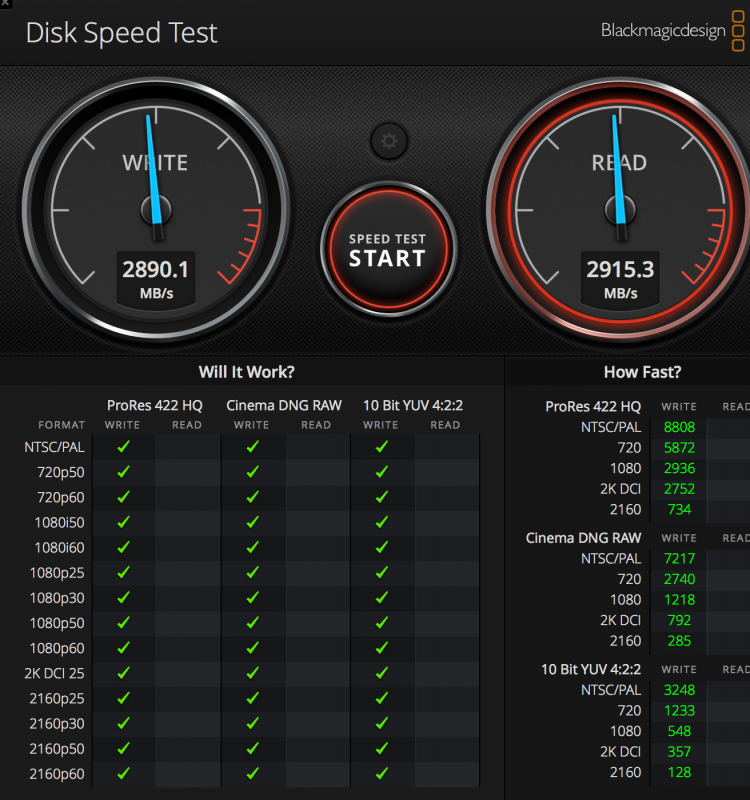
this is my sabrent NVME, if you search in this site you will find also my benchmark on my old and not virtual intel 7980xe identical result I repeat myself, vm’s files produce some caching and abmnormal results, this one shown here are real and correct 🙂