All Activity
- Today
-
Ciao a tutti! Mi chiamo Andreas, vivo in Svizzera e mi interesso di computer e Hackintosh già da diversi anni. Attualmente utilizzo un Hackintosh con scheda madre Gigabyte Z87-D3HP e mi piace sperimentare con macOS, OpenCore e diverse configurazioni hardware. Vorrei anche provare l’applicazione Hack Check, che mi sembra molto interessante per analizzare e gestire il sistema. Grazie per aver creato questa comunità e per il lavoro che mettete a disposizione di tutti! Un saluto dalla Svizzera, Andreas
-
Nuova versione 2.0-(2.7.2) in Download Corretto il titolo centrale (HackChek) in modalità a tutto schermo Aggiunta notifica in-app per i futuri aggiornamenti
-
 " 11) Per scaricare da Download è richiesto un minimo di post quindi magari iniziate presentandovi alla comunità, successivamente quando i contenuti saranno validati, la sezione download verrà sbloccata in automatico. "
-
Ciao a tutti! Vorrei scaricare Hack Check per provarlo sul mio Hackintosh e vedere come funziona con la mia configurazione. Grazie mille per il vostro lavoro e per aver messo a disposizione questa applicazione! Un saluto, Andreas
-
Sul tab Audio e Sensori , rileva tutto ?
-
E bravi Signori....OTTIMA APP:, braviiiiii
- Yesterday
-

asus x870e hero ASUS ROG Crosshair X870E Hero - Ryzen 9950x
David Wright replied to fabiosun's topic in General
If the board supports USB BIOS FlashBack, keep 1715 as your known-good image and use FlashBack to roll back after trying any newer AM6-capable BIOS. That way testing doesn't leave you stranded. I'd also try the newer BIOS with PCIe ASPM disabled, and Native ASPM off, to see whether the missing SATA/NVMe drives reappear. If it is truly AGESA-related this may not help, but it is a cheap test before giving up on newer firmware. -
The dongle being required points less to USB port mapping than to the internal devices not being enumerated at boot. The internal keyboard is often PS/2 (VoodooPS2Controller), while an ELAN touchpad is usually I2C (VoodooI2C plus VoodooI2CHID and correct ACPI/GPIO). Boot once with the dongle and save an ioreg, then boot without it and compare whether the PS2/I2C nodes disappear. Also check BIOS USB legacy/XHCI hand-off and that your USB map is not disabling the internal receiver. Port mapping alone normally will not create the I2C device.
-
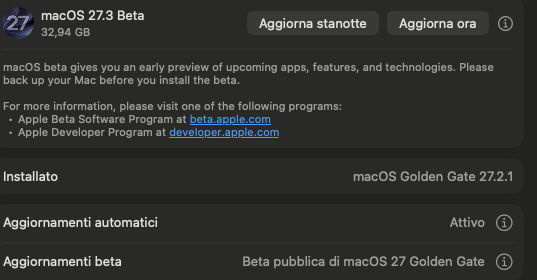
Oggi stranamente mi portava un aggiornamento di 17gb, fatto.
-
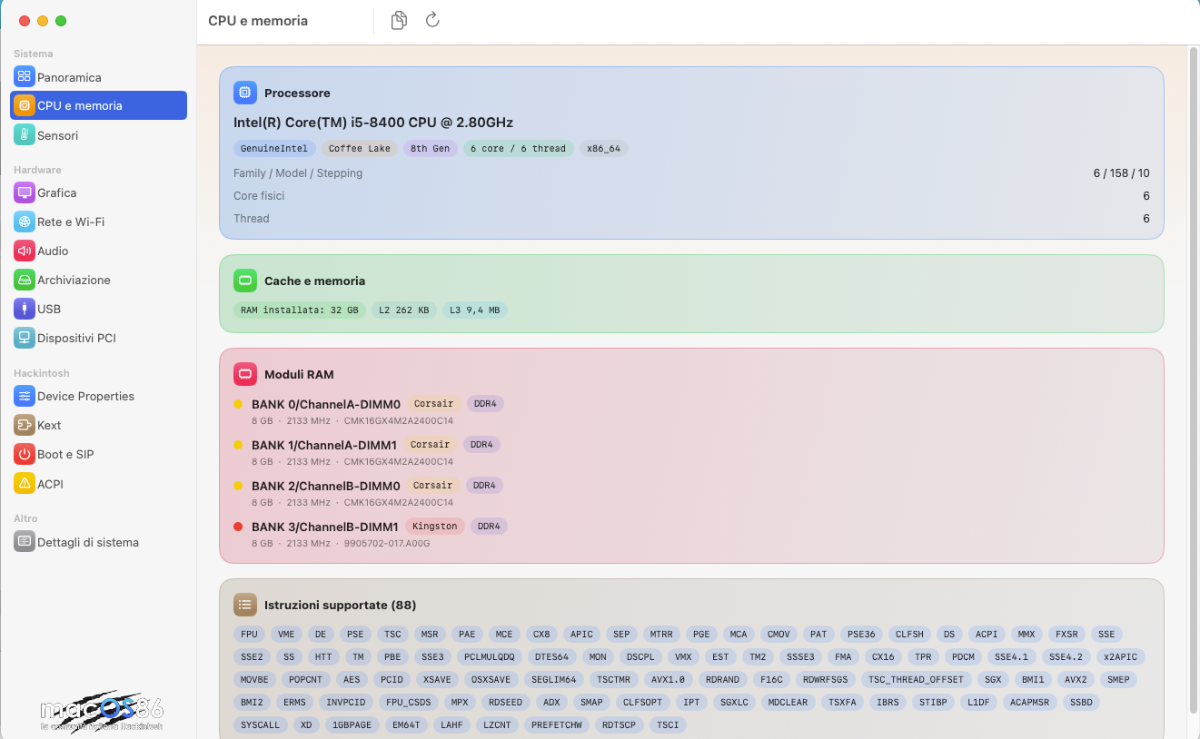
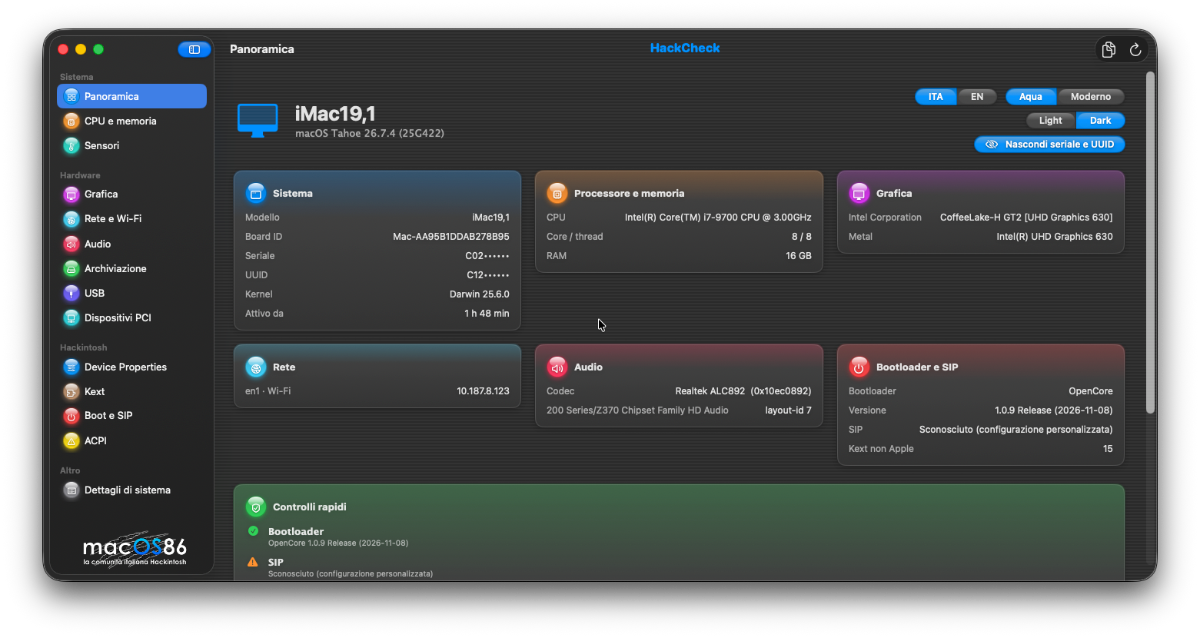
eccoli della CPU @fabiosun sembrano apposto
-
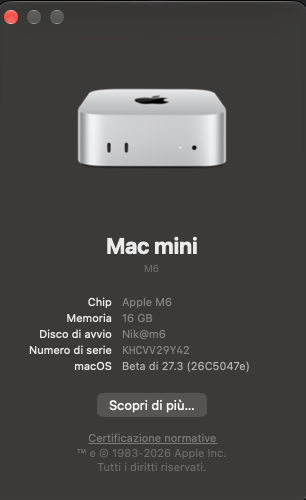
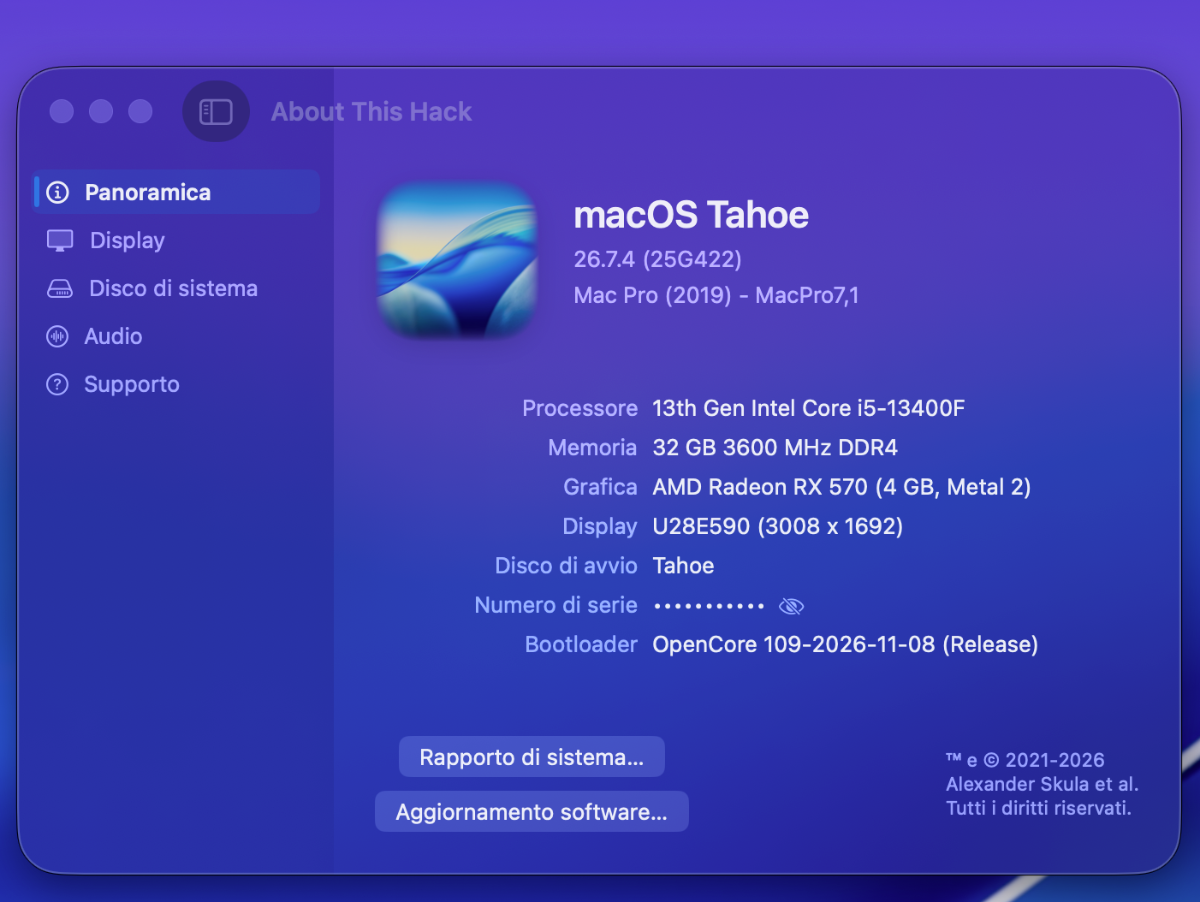
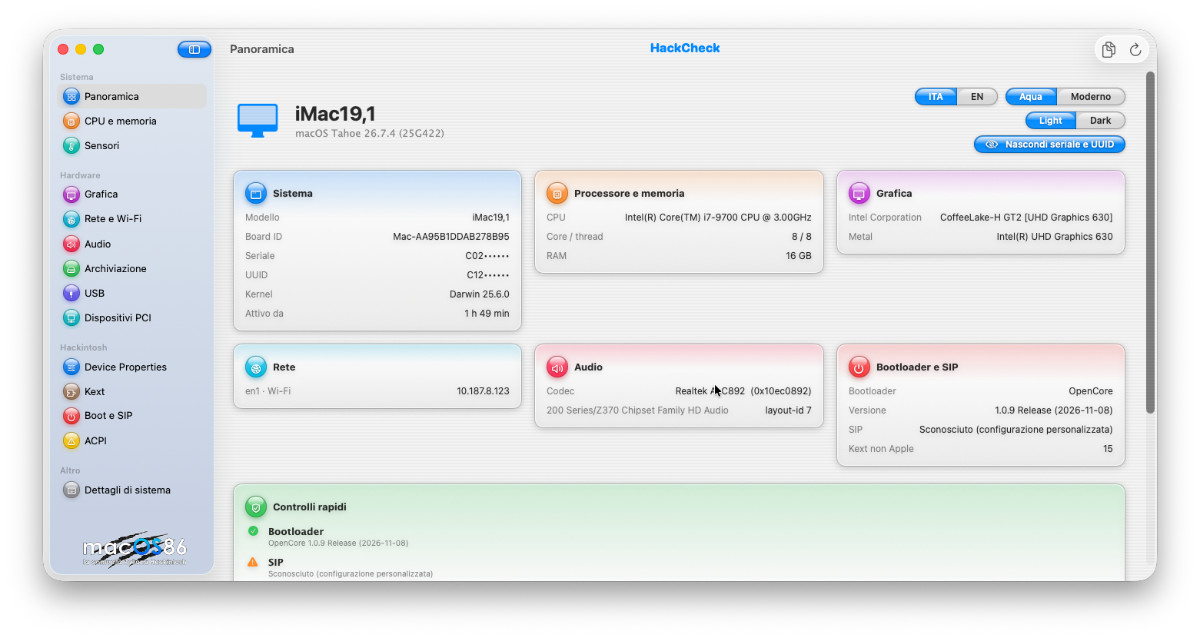
@Eniac@Perduquando potete se vi va postate qualche schermata dei sensori o della cpu , audio e quello che vi pare per capire se legge bene le cose anche da voi 🙂 grazie
-
Controlla prima che AirPortAtheros40 sia davvero caricato: da Terminale esegui `kextstat | grep -i Atheros` e `log show --last boot | grep -i airport`. Se non compare, il problema è nell'iniezione in Kernel > Add: Enabled=true, BundlePath/PlistPath/ExecutablePath corretti, MinKernel/MaxKernel compatibili con Monterey (21.x) e kext dopo le dipendenze. Verifica anche che non ci siano copie vecchie in /Library/Extensions o kext WiFi in conflitto. Per il BT BCM4350C2, se è su USB, controlla la mappatura USB e i kext BrcmPatchRAM/BrcmFirmwareData: senza firmware il Bluetooth spesso appare ma non funziona.
-
Volevo portare la mia testimonianza, Magnifica e favolosa complimenti @Anto65 e complimenti a @Gengik84 x non dimenticare nessuno a tutti quelli che hanno collaborato e collaborano tutti i giorni per farci provare emozioni che da soli non credo potremmo arrivare ad avere un sentito grazie di Cuore come al solito chi vive qui a sempre il meglio del meglio che piu meglio non si può🤣 🤣🤣 P.S. va alla grande su Tahoe e Sequoia gia colladauti
-
Bellissima e ben fatta, complimenti! 😄
-
Per le beta il toggle di solito è in Impostazioni > Generali > Aggiornamento software; se non compare, controlla di essere con l’account giusto. La procedura col tasto di accensione serve per la Riduzione sicurezza in Recovery, non per Gatekeeper: dopo l’aggiornamento potrebbe richiedere di rifarla. Per il pacchetto grosso, meglio fare spazio e un backup prima di installare.
-
Veramente bella e ben fatta, complimenti ad entrambi 😄
-
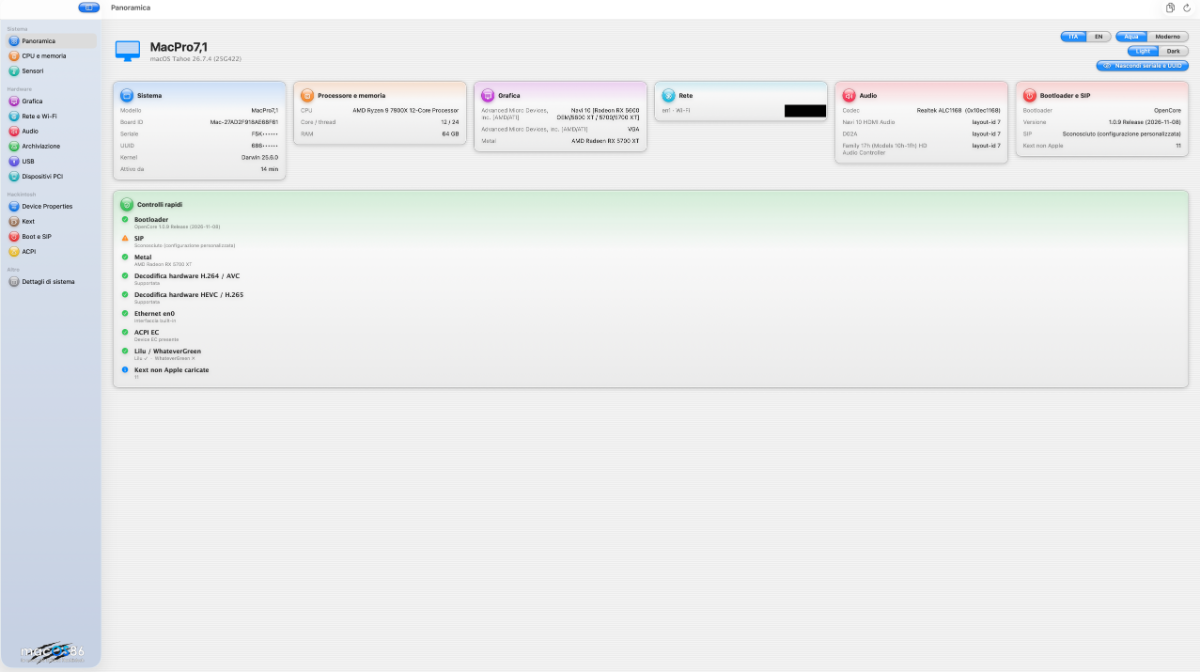
Nuova versione 2.0 Topic di riferimento
-
HackCheck 2.0 (2.7.1) HackCheck 2 è un’app ispirata all’originale HackCheck, creata da **Gengik84** e **foskvs**, restaurata e riscritta in **SwiftUI** da **fabiosun** e **Anto65**. Versioni di macOS supportate : macOS 13.0 (Ventura) o successivo Descrizione : HackCheck 2 raccoglie e mostra informazioni sul sistema e sull’hardware, utili anche in ambito Hackintosh: - **Panoramica**: riepilogo generale del sistema e controlli rapidi. - **CPU e memoria**: dettagli su processore, cache, istruzioni e moduli RAM. - **Sensori**: temperature, ventole, tensioni, potenza e corrente (tramite SMC/VirtualSMC e relativi plugin). - **Grafica**: GPU, accelerazione Metal e codec video hardware. - **Rete e Wi-Fi**: interfacce e schede di rete. - **Audio**: codec HDA, controller PCI e dispositivi audio rilevati. - **Archiviazione**: controller e gestione di dischi/partizioni, incluse EFI (monta, smonta, apri nel Finder). - **USB**: controller, porte e dispositivi collegati. - **Dispositivi PCI**: elenco dettagliato con copia ed esportazione. - **Device Properties**: visualizzazione ed esportazione in formato OpenCore (`DeviceProperties → Add`). - **Kext**: kext non Apple caricate e informazioni correlate. - **Boot e SIP**: stato bootloader, SIP, argomenti di boot, diagnostica e dati NVRAM/log quando disponibili. - **ACPI**: dispositivi esposti e scansione degli errori dal log. - **Dettagli di sistema**: dati `system_profiler` ed esportazione del report completo. L’app consente di copiare le informazioni della scheda aperta ed esportare report; nell’esportazione del report completo i dati sensibili (ad esempio seriale e UUID , SN ... ) vengono oscurati. Crediti - Creatori originali: Gengik84 e foskvs - Icona originale: Ciro82 e fabiosun - App restaurata in SwiftUI da: fabiosun e Anto65 - Database PCI: [PCI ID Repository](https://pci-ids.ucw.cz) © macOS86 2026 Nuova Versione in Downloads README.en.md Screenshot
- Last week
-
David Wright joined the community
-
@Olivia Davis Le patches del kernel che citi non sono utili per le macchine desktop e spesso su richiesta di spiegazione sui motivi di usarle , le spiegazioni date sono evanescenti Alcuni dicono che servono ad eliminare dei reboot nei portatili, altri non ne sanno nulla e le mettono perche' consigliate da chi gestisce le patches In tutti i sistemi AMD che ho avuto e configurato per utenti non c'e' mai stato bisogno di usarle Da anni ci siamo occupati qui, in un altro thread di mettere ordine nelle patches per AMD riducendole al minimo indispensabile Perche' utilizzarne di inutili? By the way, this is an Italian part of our forum, you can translate with any online helper to write in italian your much-appreciated thought 😉 We have also an international area if you like to write in english
-

Possibile build con Ryzen 5 5600x, RX 570 4gb e MSI Bazooka B550?
Olivia Davis replied to Tambo's topic in General
I'm putting together a similar dual-boot plan with a 5600X on a B550 board, though I'm keeping a cheap Polaris card for now and not expecting the GPU side to be painless. What caught my eye in your EFI is the partially disabled SIP in NVRAM and the leftover Visual kernel patches; trimming those seems sensible before chasing bootargs, but I'm unsure whether removing them could break something else on Sequoia. I also glanced at Apple Mac mini M4 2024 Desktop Computer Review https://pickranked.com/product/apple-mac-mini-m4-2024-16gb-512gb-review while weighing a real Mac as a fallback. Has anyone here run a similar B550 setup long enough to say which patches are genuinely safe to drop? -
I'm putting together a small home office and need a reliable monochrome laser all-in-one that plays nicely with macOS. My current inkjet is on its last legs, and I'm tired of replacing cartridges every few weeks. I came across this third-party page while comparing options: Brother MFC-L2820DW Monochrome Laser All-in-One Printer Review https://ratethepick.com/product/brother-mfc-l2820dw-review — it mentions wireless printing, scanning and duplex copying, which covers most of what I need. My main concern is driver support. I've had printers before where macOS picked a generic driver and scanning never worked properly over the network. I don't want to buy something that only half-functions on my setup. I'm also unsure whether the wireless connection is stable enough for regular scanning to my Mac, or if I should just use USB. Has anyone here used this model or a similar Brother laser all-in-one on macOS? How was the driver and scan experience, and did you connect over Wi-Fi or USB? Any input would help me decide.
-
 Copying the EFI folder alone does not make a legacy disk bootable; you still need Clover's boot sectors installed on the internal disk (MBR/boot0af) with the EFI folder on its EFI partition. In Clover Configurator, mount the internal disk's EFI, not the USB's, before editing, and confirm that same volume is selected at boot. If serial/parallel/PS2 options reset after a full power-off, suspect the motherboard CMOS battery; if they reset only after USB reboots, you are probably editing or saving the USB's settings.
-
[Aiuto] Configurazione EFI Asus F550L - Progetto (PRAY)
Jessica Wilson replied to Gianluca cl's topic in Notebook
For the picker name, you don’t need to rename the volume: in OpenCore add a custom entry under Misc > Entries with Title PRAY and the correct Path/Arguments. For the USB, if an EFI partition already exists, mount it and copy the EFI folder without formatting; if it doesn’t, stop and back up first, since creating one may require repartitioning. For macOS then Windows, leave unformatted free space for Windows, install it afterward, then restore OpenCore’s boot order. -
Stic...bello grosso come aggiornamento.