All Activity
- Past hour
-
macOS Sonoma 14.8.6 (23J511)
-
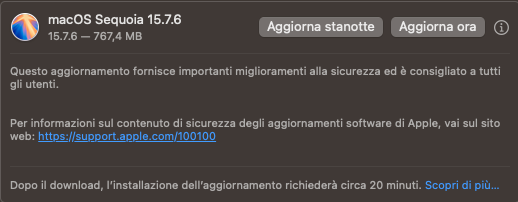
macOS Sequoia 15.7.6 (24G711)

-
 @fabiosun @carlo_67 Oggi ho analizzato l'architettura USB della mia Gigabyte GA-Z87X-UD7 TH per risolvere i fallimenti dell'Assistente Migrazione. Monitorando i flussi con USBMap, ho scoperto che la scheda madre satura il limite delle 15 porte perché utilizza degli HUB interni per gestire tutte le 6 porte posteriori e il bracket convogliandole sui canali logici HS09/10 e SS05/06). Al contrario, ho rilevato che le porte USB 3.0 frontali sono le uniche linee native dirette al chipset Intel. Per questo motivo, ho creato una mappatura custom a 11 porte di seguito la tabella con l'architettura delle USB della mia scheda madre Tabella Architettura USB - Gigabyte GA-Z87X-UD7 TH Posizione Fisica Tipo Porta ID Logico Tipo Connettore Architettura / Hub Frontale (Case) - SX USB 3.0 SS02 / HS02 USB3 (3) NATIVA DIRETTA Frontale (Case) - DX USB 3.0 SS01 / HS01 USB3 (3) NATIVA DIRETTA Frontale (Case) - SX USB 2.0 HS04 USB2 (0) NATIVA DIRETTA Frontale (Case) - DX USB 2.0 HS03 USB2 (0) NATIVA DIRETTA Interna (PCIe) Bluetooth HS05 Internal (255) NATIVA DIRETTA Retro (Alto) - L/R USB 3.0 SS05 USB3 (3) HUB INTERNO A Retro (Alto) - L/R USB 2.0 HS09 USB2 (0) HUB INTERNO A Retro (Mezzo) - L/R USB 3.0 SS05 USB3 (3) HUB INTERNO A Retro (Mezzo) - L/R USB 2.0 HS09 USB2 (0) HUB INTERNO A Retro (Basso) - L/R USB 3.0 SS06 USB3 (3) HUB INTERNO B Retro (Basso) - L/R USB 2.0 HS10 USB2 (0) HUB INTERNO B Bracket Posteriore - L/R USB 3.0 SS06 USB3 (3) HUB INTERNO B Bracket Posteriore - L/R USB 2.0 HS10 USB2 (0) HUB INTERNO B
 - Today
-
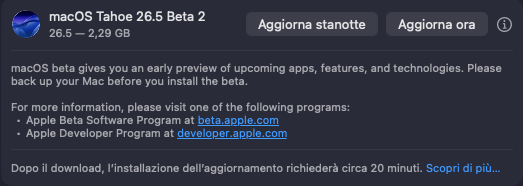
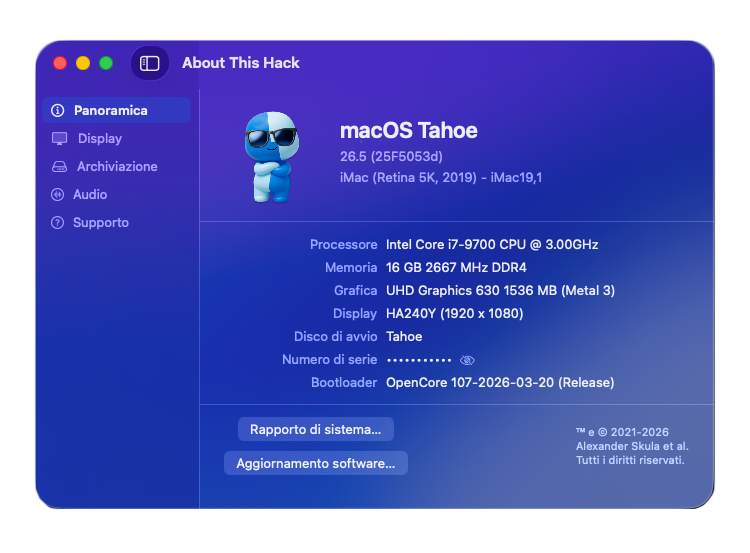
Tahoe 26.5 Beta2 (25F5053d)
-
 arsradu joined the community
 -
@fabiosun ragionandoci un po' ho fatto questo schema per la mappatura finale con un limite di 15 porte, dato che ho un solo controller sulla scheda madre, secondo te può funzionare? 6 Porte Posteriori: Tutte mappate come USB 2.0 (HS) 2 di queste 6 Porte (le prime due) Mappate anche come USB 3.0 (SS) 2 Porte del Bracket posteriore: Solo USB 2.0 (HS) 2 Porte Frontali: Solo USB 3.0 (SS) 2 Porte Frontali: Solo USB 2.0 (HS) 1 Porta Interna: Bluetooth (HS) Totale: 6 (HS) + 2 (SS) + 2 (HS) + 2 (SS) + 2 (HS) + 1 (HS) = 15 PORTE.
- Yesterday
-
sudo: amdfriend: command not found i get this error 😞 for me it doesnt work... do i need a kext for this command ?
-
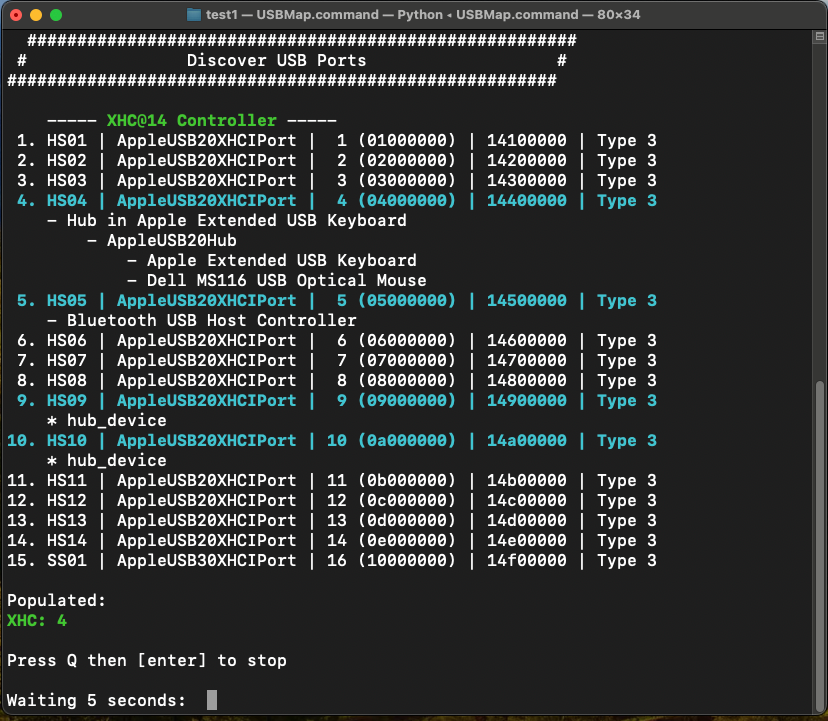
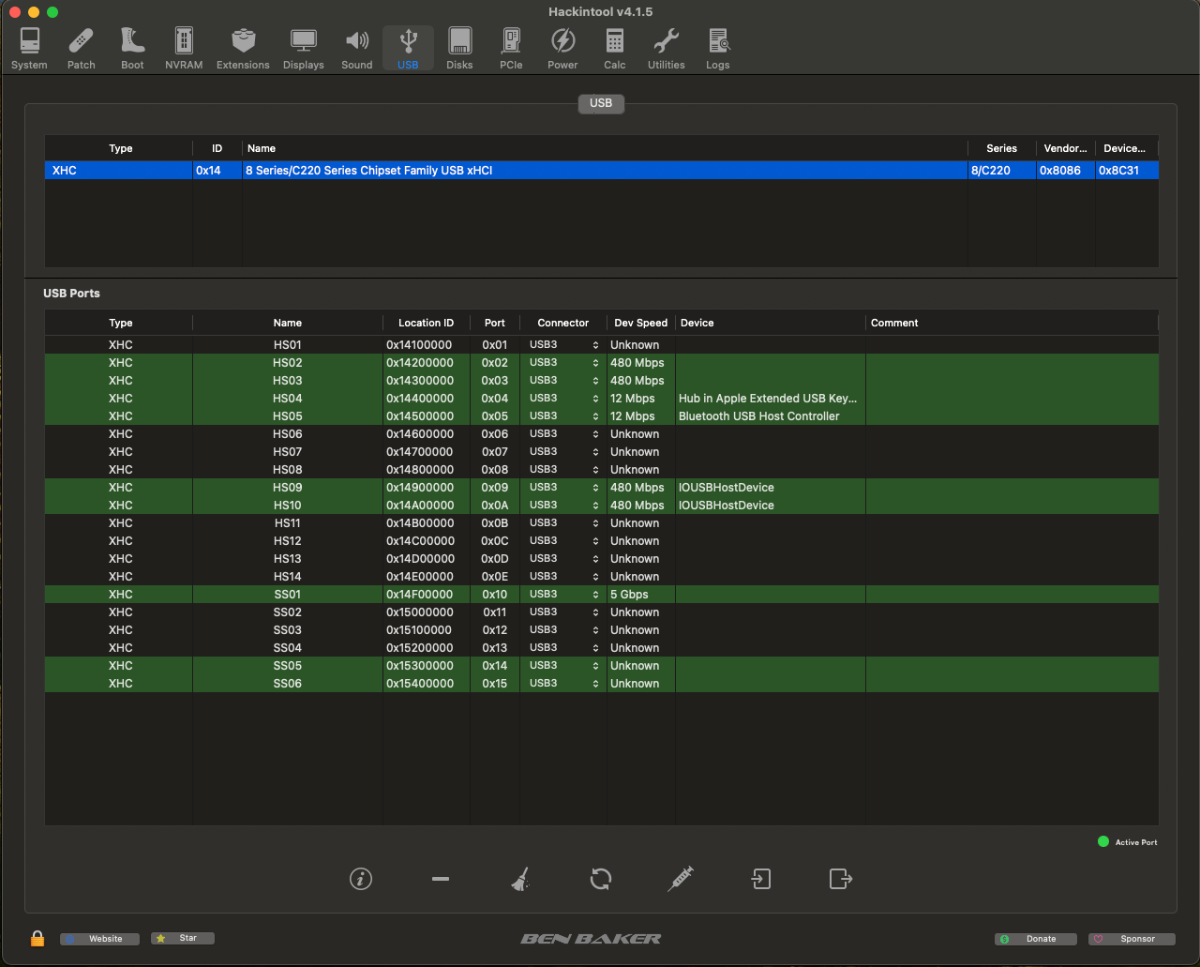
@fabiosun Questo è lo screenshot di inizio mappatura con USBMap , vede 4 porte connesse , la porta USB dedicata al bluetooth , la tastiera apple che ha un hub con due USB dove e collegato il mouse Dell, e due Hub
-
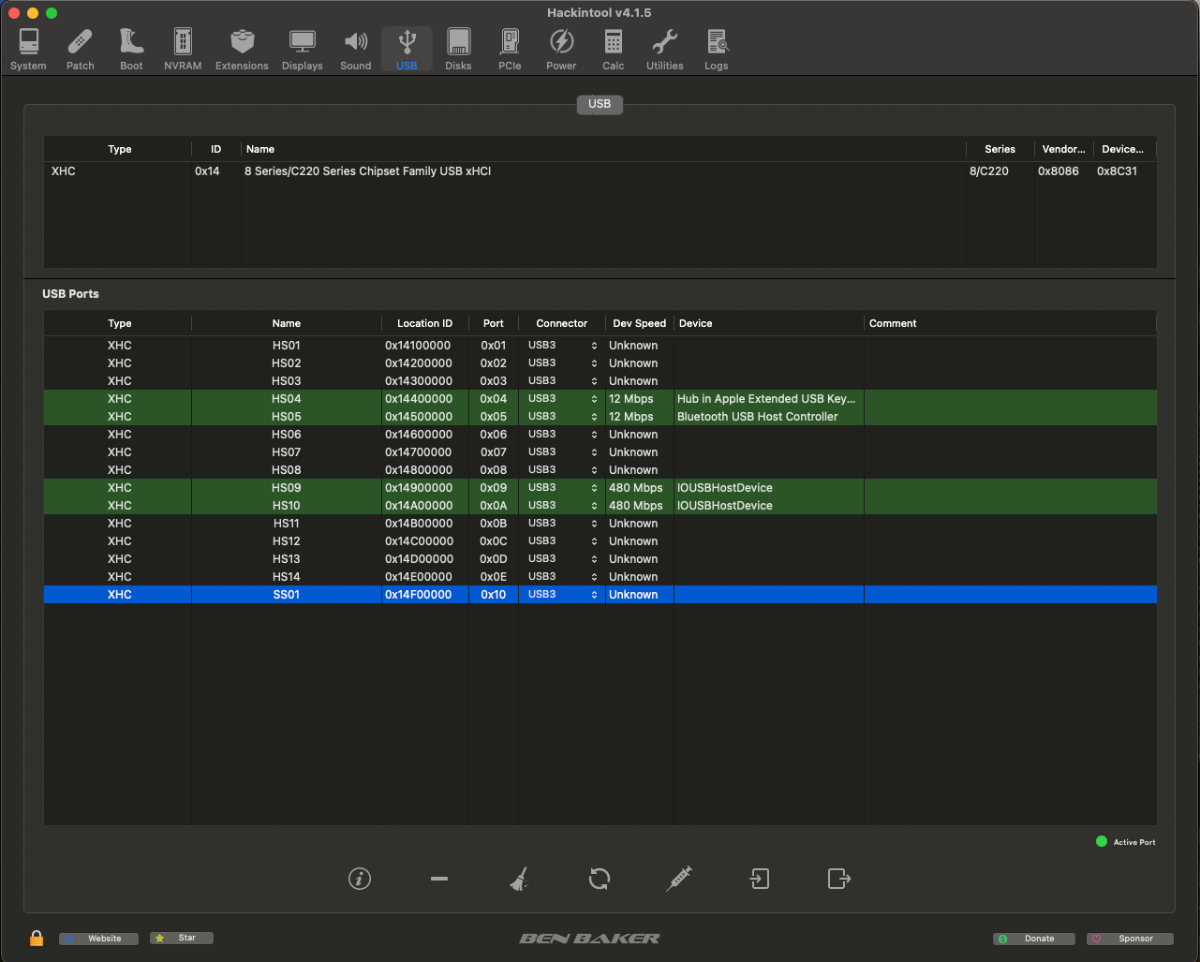
@fabiosun ecco i due screenshot Questo è prima di fare clean e refresh e vede 20 porte questo invece è dopo aver fatto clean e refresh e ne vede 15 La cosa che non capisco è perché il sistema rileva tutte le porte USB ma Hackintool invece solo quelle del pannello frontale ovvero due usb 2.0 e due USB 3.0
-
Windows 11 24H2 e 25H2 rimangono al momento le versioni raccomandate per la distribuzione in ambito enterprise. Windows 11 26H1 non supporta gli aggiornamenti hotpatch. Windows 11 26H1 non influisce sulla vostra strategia di distribuzione e acquisto di dispositivi Windows. Non c’è alcun vantaggio nell’attendere o posticipare piani di aggiornamento/migrazione in funzione della versione 26H1, a meno che non si stia già pianificando l’adozione di dispositivi con SoC compatibili con questa nuova versione. Bromine Qualcomm® Snapdragon™ X2 Plus Qualcomm® Snapdragon™ X2 Elite Qualcomm® Snapdragon™ X2 Elite Extreme
- Last week
-
 Fai schermata con hackingtool
 -
@fabiosun La porta USB 2.0 interna che uso per alimentare il bluetooth della scheda wifi la posso disabilitare, dato che a me serve solo l'alimentazione e non i dati, dico bene? In questo modo risparmierei due porte sulla configurazione Queste sono le caratteristiche della scheda madre a livello USB Chipset: 2 x USB 3.0/2.0 ports (available through the internal USB header) 4 x USB 2.0/1.1 ports (available through the internal USB headers) Chipset + 2 Renesas® uPD720210 USB 3.0 Hubs: 8 x USB 3.0/2.0 ports (6 ports on the back panel, 2 ports available through the internal USB header) Se non ho capito male la mobo ha due diversi chipset USB
-
Ciao @audiomanil limite di 15 porte e' per ogni controller presente sulla piasta madre Se hai solo un controller (e te ne accorgi se non lo sai vedendo su hackintool) allora devi eliminare 5 porte che non usi o ti servono (di solito quelle interne se le hai e se non le usi per il case) se sono piu' controller potresti stare entro i limiti se hai ancora attivato xhciport limit (il quirk) toglilo e vedi se rimangono sempre 20 le porte
-
 lambda joined the community
 -
@carlo_67 @fabiosun @Anto65 sono riuscito finalmente a fare la mappatura, però ho un problema e un dubbio : le porte attive della mappatura tra USB 3.0 e USB 2.0 sono in totale 20 quindi superano le 15 massime disponibili, come devo gestire questa cosa? Che criterio devo usare per scegliere le porte da disabilitare per arrivare alla soglia di 15 massime ?
-
Hi all - just wanted to let you know about my experience updating from Big Sur to Sequoia on one of my Lenovo m93p tiny haswell thin clients. I love these small PCs (use one as a Windows 10 daily driver) and I also modded 2 to add msata ports to the motherboard to double HDD capacity - one became a NAS and the other became my Hackintosh. Full YouTube walkthrough is here - please take a look and let me know how you get on! Big Sur to Sequoia Update
-
Hi - just came across this forum and thought I'd join as I've just got into the hackintosh scene and finding it an adventure!
-
 stew joined the community
 -

x870e motherboard ASUS ProArt X870E-CREATOR WIFI - Ryzen 9950x
Muhammed Salah replied to fabiosun's topic in General
can you update one for me I’ve been trying for several days without success. -
 npanagiotidis joined the community
 -
I agree with you that voltage shifting is probably the best way to handle it. That said, in my case the problem went beyond what was practical. I actually got macOS running, but the real issue was thermal behavior. The heat pipe runs from the fan toward the CPU, and there is a small exposed section of the motherboard in that area. Right underneath sits the temperature sensor. That sensor seems to get affected so heavily that the system constantly reports overheating to the motherboard microcontrollers, which then immediately throttles the device hard. So yes, it works, but only to the point where using it stops being enjoyable. On Windows, the same hardware performs much better because the thermal response kicks in around 10 to 12°C later. If that same behavior could be achieved under macOS, the device would actually run very well. I tested this on three different mainboards and saw the exact same issue on all of them, so at least in my case it was not just a one-off board defect. I also tried a hardware fix for the sensor, but once the case was closed, the problem came back. I looked into solving it in software as well, but without access to the board’s microcontroller, that was basically a dead end. Disabling the sensor entirely would have been another option, but that was simply too risky. So in the end, I put the project aside. It is not that macOS itself was the problem. The main issue was a temperature sensor that reacts too quickly or too aggressively. If someone finds a reliable way to handle that under macOS, the project has real potential. In my case, though, it just was not worth pushing further.
-
Hello, thanks for the write-up, i just wanted to add that undervolting with Voltageshift would help a lot for any power related issue. I strongly recommend it.
-
 gmore7 joined the community
 -
if you use these patches you must update them https://github.com/AMD-OSX/AMD_Vanilla/pull/215
-
x870e motherboard ASUS ProArt X870E-CREATOR WIFI - Ryzen 9950x
Muhammed Salah replied to fabiosun's topic in General
not working For 26.4 Please Update it -
Io ne ho trovato una di Windows 11 Pro 26H1 con Microsoft Office Professional Plus 2024 64 Bit ma penso vada controllata se ti e vuoi domani te la giro e stata costruita x PC datati magari la puoi sicuramente migliorare Fammi sapere Così ti preparo un link
-
@carlo_67 fatto sia in fase di installazione e non e' andata a buon fine , sia anche a sistema installato con un utente di prova creato ma stesso risultato, ora sto provando a ad aggiornare direttamente da Sonoma a sequoia, e speriamo vada a buon fine perché sennò devo reinstallare tutto da zero su sequoia e ci vorranno 3 settimane di lavoro .....
-
migra il fase di installazione, quando te lo chiede, non usare l'assistente specialmente se usi OCLP, ho avuto sempre esito negativo
-
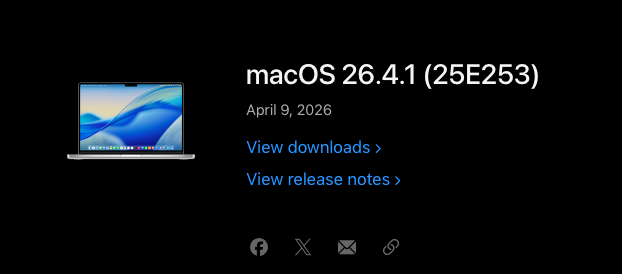
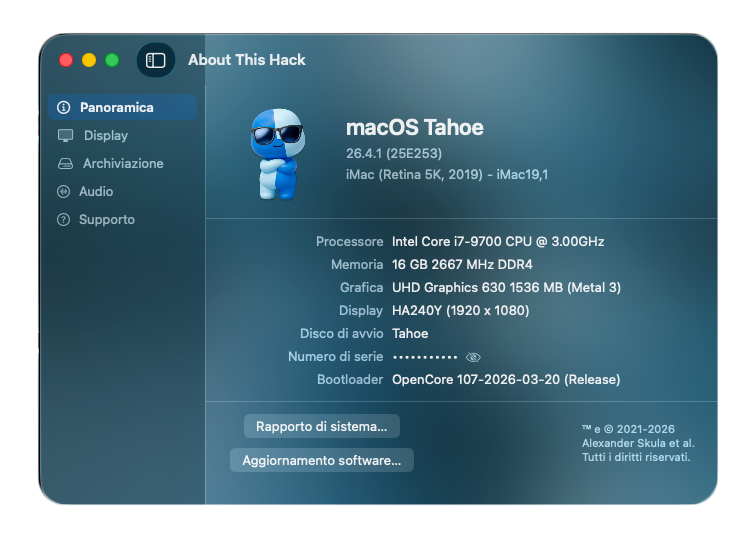
macOS Tahoe 26.4.1 (25E253) Full Installer https://swcdn.apple.com/content/downloads/40/56/122-28067-A_9B4FJ1TL06/zchwyidn8ubxkpelhytzb05o418bchr2se/InstallAssistant.pkg