All Activity
- Past hour
-
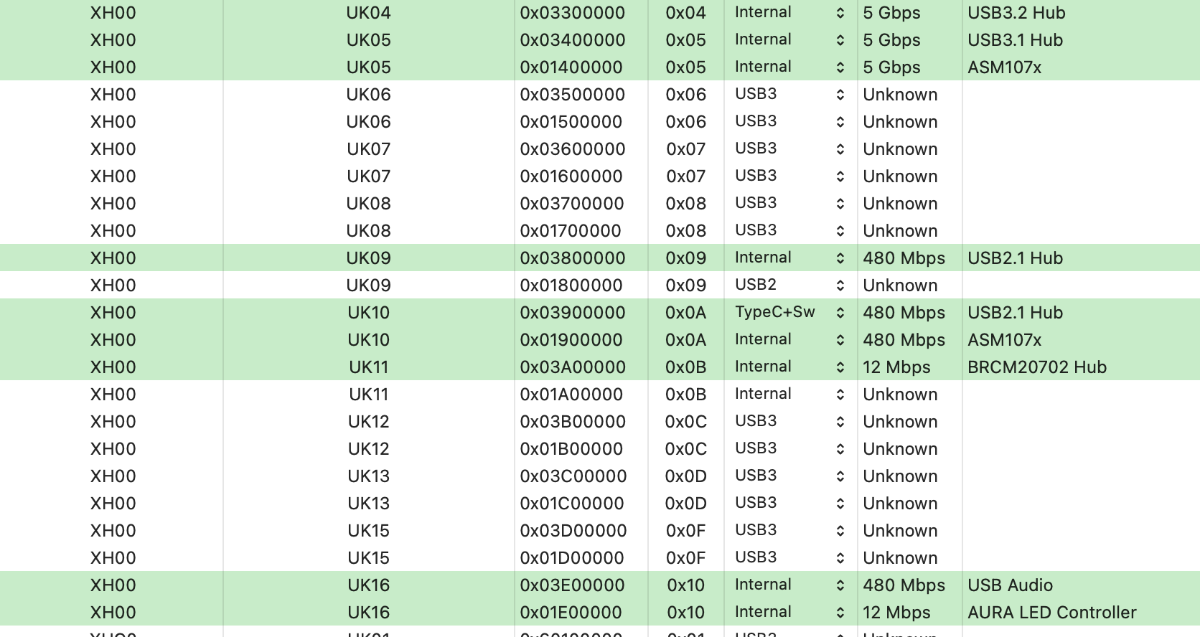
 @carlo_67 @fabiosun @Anto65 sono riuscito finalmente a fare la mappatura, però ho un problema e un dubbio : le porte attive della mappatura tra USB 3.0 e USB 2.0 sono in totale 20 quindi superano le 15 massime disponibili, come devo gestire questa cosa? Che criterio devo usare per scegliere le porte da disabilitare per arrivare alla soglia di 15 massime ?
 - Today
-
Hi all - just wanted to let you know about my experience updating from Big Sur to Sequoia on one of my Lenovo m93p tiny haswell thin clients. I love these small PCs (use one as a Windows 10 daily driver) and I also modded 2 to add msata ports to the motherboard to double HDD capacity - one became a NAS and the other became my Hackintosh. Full YouTube walkthrough is here - please take a look and let me know how you get on! Big Sur to Sequoia Update
-
Hi - just came across this forum and thought I'd join as I've just got into the hackintosh scene and finding it an adventure!
-
 stew joined the community
 -

x870e motherboard ASUS ProArt X870E-CREATOR WIFI - Ryzen 9950x
Muhammed Salah replied to fabiosun's topic in General
can you update one for me I’ve been trying for several days without success. -
 npanagiotidis joined the community
 -
I agree with you that voltage shifting is probably the best way to handle it. That said, in my case the problem went beyond what was practical. I actually got macOS running, but the real issue was thermal behavior. The heat pipe runs from the fan toward the CPU, and there is a small exposed section of the motherboard in that area. Right underneath sits the temperature sensor. That sensor seems to get affected so heavily that the system constantly reports overheating to the motherboard microcontrollers, which then immediately throttles the device hard. So yes, it works, but only to the point where using it stops being enjoyable. On Windows, the same hardware performs much better because the thermal response kicks in around 10 to 12°C later. If that same behavior could be achieved under macOS, the device would actually run very well. I tested this on three different mainboards and saw the exact same issue on all of them, so at least in my case it was not just a one-off board defect. I also tried a hardware fix for the sensor, but once the case was closed, the problem came back. I looked into solving it in software as well, but without access to the board’s microcontroller, that was basically a dead end. Disabling the sensor entirely would have been another option, but that was simply too risky. So in the end, I put the project aside. It is not that macOS itself was the problem. The main issue was a temperature sensor that reacts too quickly or too aggressively. If someone finds a reliable way to handle that under macOS, the project has real potential. In my case, though, it just was not worth pushing further.
-
Hello, thanks for the write-up, i just wanted to add that undervolting with Voltageshift would help a lot for any power related issue. I strongly recommend it.
-
 gmore7 joined the community
 -
if you use these patches you must update them https://github.com/AMD-OSX/AMD_Vanilla/pull/215
-
x870e motherboard ASUS ProArt X870E-CREATOR WIFI - Ryzen 9950x
Muhammed Salah replied to fabiosun's topic in General
not working For 26.4 Please Update it - Yesterday
-
Io ne ho trovato una di Windows 11 Pro 26H1 con Microsoft Office Professional Plus 2024 64 Bit ma penso vada controllata se ti e vuoi domani te la giro e stata costruita x PC datati magari la puoi sicuramente migliorare Fammi sapere Così ti preparo un link
-
@carlo_67 fatto sia in fase di installazione e non e' andata a buon fine , sia anche a sistema installato con un utente di prova creato ma stesso risultato, ora sto provando a ad aggiornare direttamente da Sonoma a sequoia, e speriamo vada a buon fine perché sennò devo reinstallare tutto da zero su sequoia e ci vorranno 3 settimane di lavoro .....
-
migra il fase di installazione, quando te lo chiede, non usare l'assistente specialmente se usi OCLP, ho avuto sempre esito negativo
-
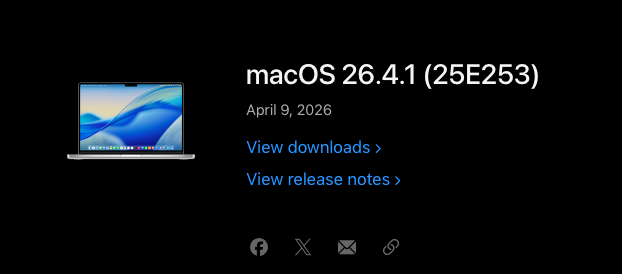
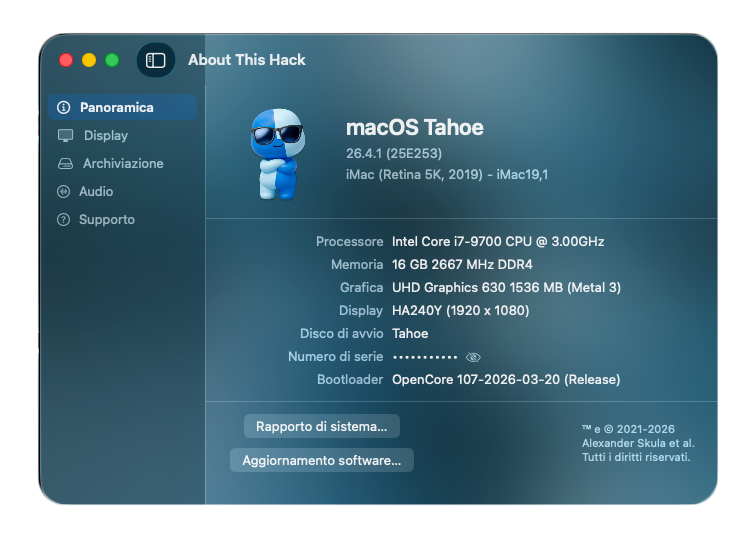
macOS Tahoe 26.4.1 (25E253) Full Installer https://swcdn.apple.com/content/downloads/40/56/122-28067-A_9B4FJ1TL06/zchwyidn8ubxkpelhytzb05o418bchr2se/InstallAssistant.pkg

-
Ciao a tutti, vorrei confrontarmi con voi su alcuni problemi riscontrati con l'Assistente Migrazione su macOS Sequoia (OpenCore 1.0.7). Ho tentato per due volte di trasferire un backup di Time Machine da 630 GB su un'installazione pulita, ma senza successo. Dettagli tecnici: Destinazione: SSD SATA. Sorgente: Backup Time Machine su disco USB 3.0 (WD Elements). I due tentativi falliti: Migrazione in fase di setup iniziale: Dopo oltre 5 ore di trasferimento, la procedura risultava completata. Al riavvio l'utente era presente, ma il disco risultava occupato per soli 18 GB. La cartella utente era praticamente vuota nonostante i 630 GB di backup. Migrazione tramite utente "ponte": Ho creato un utente temporaneo e lanciato l'Assistente Migrazione dalle Applicazioni. Dopo aver completato il trasferimento, al riavvio il sistema non ha più effettuato il boot. Da Recovery, il disco di destinazione risultava nuovamente privo dei dati migrati e l'installazione di Sequoia compromessa. Ora sto provando a installare Sonoma, migrare i dati e poi aggiornare a Sequoia tramite l'installer. Qualcuno ha riscontrato anomalie simili con l'Assistente Migrazione su Sequoia? Sapete se ci sono problemi noti nel trasferimento dei volumi dati con questa versione?
-
No Perdu, l'ultima che ho fatto è la W11_PRO_25H2_26200.7922.iso de 03/03/2026. La 26H2 non la faccio fino all'uscita ufficiale
-
 i4tnvruinbqiabeuirhviu joined the community
 -
@fabiosun, innanzitutto grazie mille per il tempo che mi hai dedicato. Ti auguro il meglio per la tua salute e una pronta e completa guarigione. ❤️ Volevo farti sapere che ho finalmente capito dove ho sbagliato nella mappatura delle USB. L'errore principale è stato nella procedura di test delle porte. Io facevo così: 1. Inserivo la chiavetta USB 2.0 in tutte le porte una dopo l'altra. 2. Solo dopo aver finito, ricominciavo da capo e inserivo la chiavetta USB 3.0 in tutte le porte. In questo modo, il tool (USBToolBox) non riusciva ad associare correttamente la parte HSxx (USB 2.0) con la parte SSxx (USB 3.0) della stessa porta fisica. Il risultato era una mappatura "rotta" in cui le porte non venivano riconosciute come appartenenti allo stesso connettore. La procedura corretta (che ho capito grazie ai vostri consigli) è invece, per ogni singola porta fisica USB 3.0, fare: 1. Inserire la USB 2.0 → attendere il riconoscimento. 2. Rimuovere la USB 2.0. 3. Inserire la USB 3.0 → attendere il riconoscimento. 4. Rimuovere la USB 3.0. 5. Passare alla porta successiva. Per le porte USB 2.0, ovviamente, basta solo la chiavetta 2.0. procedo con la mappatura corretta.
-
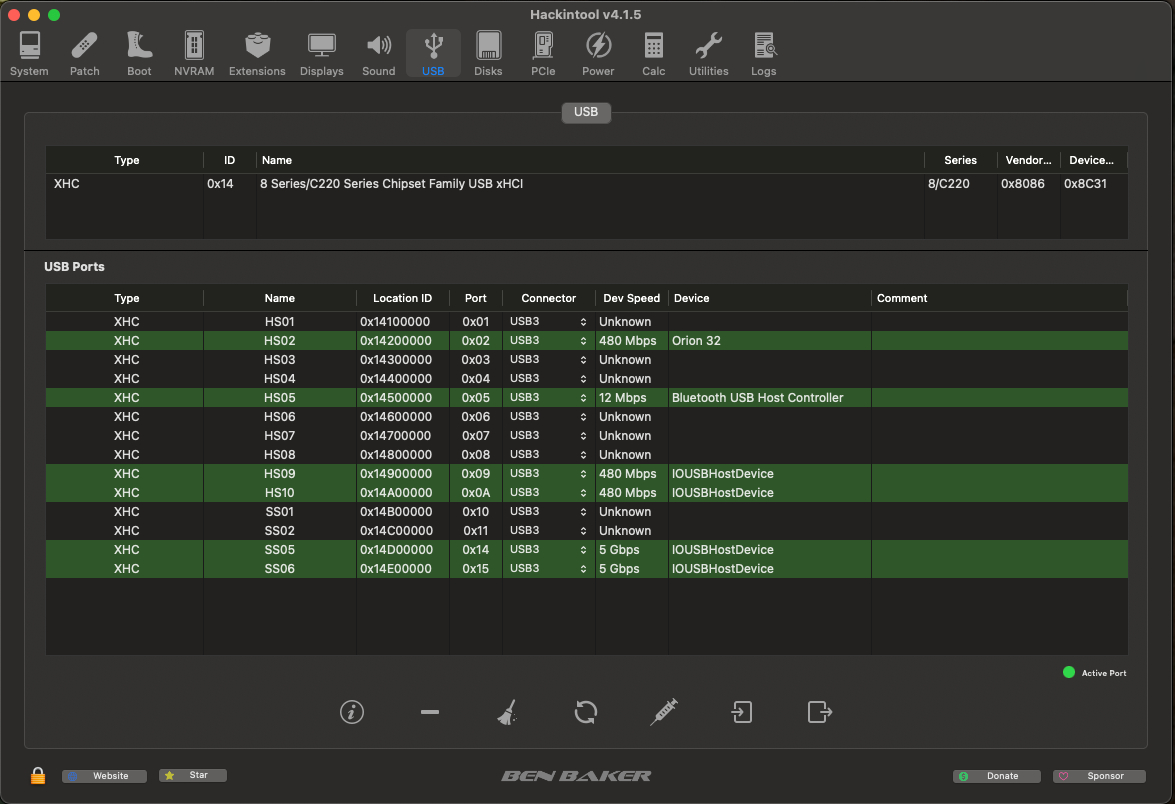
 @audiomannon posso darti una mano migliore in quanto ho dei piccoli problemi da risolvere di salute.. cmq Dove vedi Host device, di solito quelle sono device interne della piastra madre e a te risultano USB3 Dove vedi Bluetooth (parlo sempre della schermata di hackintool) quella pure di solito va mappata come interna Nn vedo porte USB2 come non vedo hub usb (di solito potrebbero essere gli host device) Comunque se ti funziona il sistema come ti serve per il momento puoi anche trascurare questa cosa Dalle schermate io non capisco e quello che capisco (mi pare) non mi sembra fatto bene Accertati che la penna usb2 e 3 che inserisci venga riconosciuta dalla procedura Se il kext che ti crea e' fatto bene, all'interno leggendo il plist vedrai non tutte le porte impostate su 3 , ma anche su 0, 255 e 0 se hai porte USB type c edit questa e' la mia schermata, che non e' fatta bene ancora a livello di mappatura, ma il sistema funziona come desidero (in parte)
- Last week
-
@fabiosun Le USB 2.0 sono solo due , il resto sono USB 3.0 Non capisco dove sbaglio dato che una volta lanciato lo script da terminale ho eseguito alla lettera quello che mi aveva suggerito @carlo_67 inserendo prima su tutte le porte una chiavetta USB 2.0 e successivamente una chiavetta USB 3.0 solo sulle porte 3.0. Potrebbe essere che sbaglio qualche passaggio ma non capisco dove Sopra ho postato tutti gli screenshot della procedura eseguita ma non so se e' possibile capire se c'e un errore o meno
-
sono tutte usb3...quindi non hai fatto bene il bt e' sicuramente interno anvhe altri dovrebbero essere mappate interne e non vedo usb2 e mi sembra strano
-
@fabiosun ecco lo screenshot di Hackintool
-
Secondo me no peró prova con Hackintool sezione usb clicca sulla scopa e poi su refresh e fai vedere cosa vedi
-
@carlo_67 Si ho mappato , guarda i post precedenti dove ci sono gli screenshot, non sono però sicuro di aver fatto tutto correttamente, dimmi se dagli screenshot è tutto in ordine oppure se ho fatto errori
-
 da hackintosh tool, vedi ma hai mappato?
 -
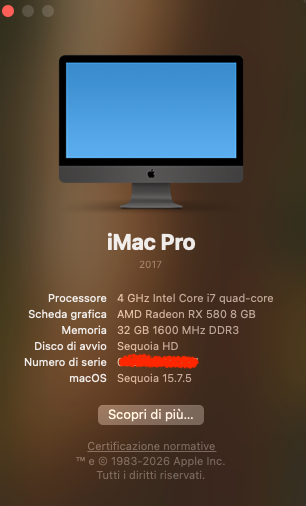
@carlo_67 due domande : il tipo di processore visualizzato è corretto ? come verifico se ha preso correttamente la mappatura delle USB ?
-
@carlo_67 @fabiosun @Anto65finalmente sono riuscito ad arrivare all'installer !! Era la chiavetta USB che dava problemi !! Oggi ho imparato quanto sia importante il supporto di installazione, meglio così . Poi vi faccio sapere l'esito dell'istallazione e vi chiederò come ottimizzare il sistema Grazie mille a tutti per il supporto e la pazienza !!
-
@carlo_67 Ho recuperato una chiavetta Sandisk nuova USB 3.0 , rifaccio da capo e vediamo se è quello il problema